
Scribe alternatives for ops teams: pick by job
TL;DR:
- Choosing the right process documentation tool depends on whether you need quick guides or accurate insights into actual work behavior.
- Manual capture tools like Tango and Guidde produce guides, but automating process discovery with Patterns Process Finder offers more accurate, living SOPs for complex organizations.
The right alternative to Scribe depends entirely on the job you need done, not on which tool has the most features. For teams that need process discovery and living SOPs that reflect how work actually runs, Patterns Process Finder is the recommended choice. For everything else, the picks below map directly to the job.
TL;DR — best pick by use case:
- In-app guidance (help inside the application): Trails
- Guide + narrated video from one capture: Guidde
- Polished AI-narrated video walkthroughs: Guidde or Loom
- Interactive practice and learner assessment: Iorad
- Quick async video explainers: Loom
- Structured onboarding, certs, and tracking: Trainual
- Offline/one-time export, privacy-sensitive work: Folge
- Process discovery and living SOPs at scale: Patterns Process Finder
One caveat worth stating upfront: capture is broadly solved. Scribe’s valuation and large user base confirm the category is mature. The real differentiator is what happens after capture — delivery, adoption, and whether your documentation stays current. Buy for the failing job, not the shiny capture feature.
Table of Contents
- How do these tools compare at a glance?
- How we evaluated these options
- Why do teams search for a Scribe alternative?
- When do you need in-app guidance inside the application?
- What if you need a written guide and a narrated video from one capture?
- When should the asset be watched, not read?
- When do learners need to practise, not just watch?
- When is a quick recorded walkthrough the fastest option?
- When do you need structured onboarding, certs, and tracking?
- When do you need offline or one-time-purchase export tools?
- What makes Patterns Process Finder different from capture tools?
- How do you choose the right tool for your team?
- Why do automated discovery and living SOPs produce better outcomes?
- What is the final verdict by job?
- Per-tool profiles: Tango, Trails, Guidde, Iorad, Loom, Trainual, Folge, and Patterns
- Key takeaways
- Why process discovery beats map-printing for complex organisations
- The case for skipping manual capture entirely
- Further reading and sources
- FAQ
How do these tools compare at a glance?
| Tool | Best for | Capture method | Key features | Pricing shape | Updateability | Target customer |
|---|---|---|---|---|---|---|
| Trails | In-app guidance | Browser extension | Contextual overlays, analytics, conditional logic | Per-seat / team plans | Living, role-based | SMB to mid-market |
| Guidde | Guide + AI video | Browser extension + screen | AI narration, captions, multilingual, brand templates | Free tier; per-seat paid | Moderate (re-record) | SMB to enterprise |
| Iorad | Interactive tutorials | Browser + desktop | Watch/practice/quiz modes, LMS integration | Per-seat; team plans | Manual re-record | L&D, IT training |
| Loom | Async video explainers | Screen + webcam | Easy share links, basic editing, integrations | Free tier; per-seat | Low (re-record) | Individual to SMB |
| Trainual | SOP + training library | Manual + import | Role assignments, tests, HRIS/SSO, dashboards | Per-seat team plans | Manual | SMB to mid-market |
| Folge | Offline/private export | Desktop screenshot | PDF/Word/HTML/Markdown export, one-time licence | One-time purchase | Manual, local | Individual, small team |
| Tango | Real-time process capture | Browser extension | Workflow branching, embeddable guides, in-app pins | Free tier; per-seat | Moderate | Individual to SMB |
| Patterns Process Finder | Process discovery + living SOPs | Automated user-action recording | Discovery, visual maps, analytics, RPA integration | Subscription (Basic/Pro/Enterprise) | Continuous, automated | Mid-market to enterprise |
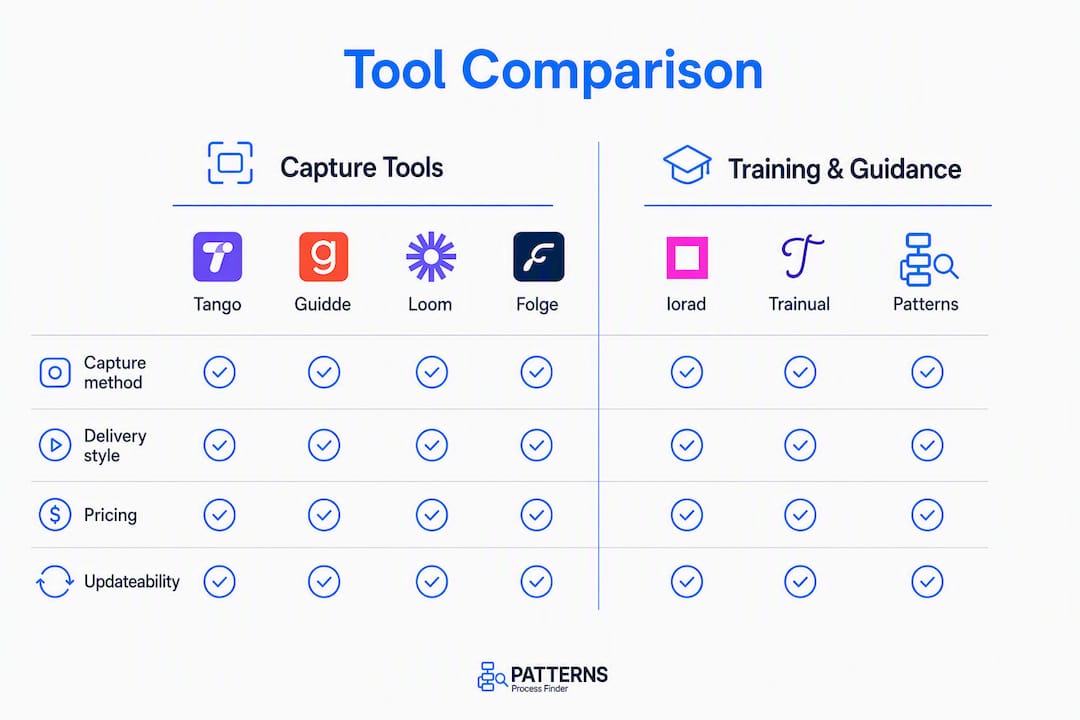
Pricing shapes to know: free tiers exist for Tango, Guidde, and Loom; per-seat plans dominate the mid-tier; Folge is the only one-time purchase. Trainual and Patterns Process Finder price by team or deployment scale.
The job that should drive your choice: if you need guides read and followed, pick a delivery layer. If you need to know how work actually runs before you document it, pick discovery.
How we evaluated these options
Evaluation covered eight criteria applied across four test cases.
Criteria:
- Job fit — does the tool solve capture, delivery, or operational run?
- Integration capability — knowledge bases, Slack, LMS, RPA, and automation tools
- Updateability — how much effort does it take to keep documentation current?
- Security and privacy — SSO, SCIM, data residency, and enterprise controls
- Ease of adoption — time to first useful output for a non-technical user
- Team pricing and scalability — per-seat vs. team plans, volume thresholds
- Export options — PDF, video, HTML, Markdown, embeddable formats
- Mobile availability — whether the tool functions on mobile for field or distributed teams
Test cases used:
- Create a five-step SOP from a live browser workflow
- Convert that SOP into a training asset (video or interactive module)
- Run a learner through an interactive or guided session
- Export and archive the workflow in a portable format
Scope and limitations: this comparison does not cover bespoke enterprise automation services, custom integrations requiring professional services, or tools that require dedicated IT deployment. Pricing reflects publicly listed plans; enterprise quotes vary.
Why do teams search for a Scribe alternative?
Most teams that move off Scribe are not unhappy with capture. The screenshot-to-guide flow works. The friction shows up downstream.
Three patterns appear consistently:
The delivery and adoption gap. Guides get created and then ignored. Employees do not follow a PDF they found in a shared drive three months ago. The documentation exists; the behaviour does not change. This is a delivery problem, not a capture problem.
The maintenance and decay problem. Software updates, process changes, and team turnover mean guides go stale within weeks. A static screenshot guide from last quarter is often worse than no guide at all — it creates false confidence. Teams that document at scale hit this wall fast.
Format mismatch. Some procedures are genuinely better as video. Others need interactive practice. A screenshot guide is the right format for a narrow slice of use cases, and teams discover this only after they have built a library of them.
Other drivers include pricing model fit (per-seat costs that multiply with headcount), data sensitivity (cloud capture tools that cannot be used on regulated or air-gapped systems), and the need for training metrics or certification that pure capture tools do not provide.
Pro Tip: Before evaluating any tool, diagnose which layer is failing: capture (guides are not being created), storage (guides cannot be found), or delivery (guides exist but are not followed). Buy for the failing layer.
When do you need in-app guidance inside the application?
In-app guidance platforms overlay live software with step-by-step prompts, tooltips, and conditional walkthroughs that appear exactly when and where the user needs them. The operational problem they solve is adherence: the guide is not in a separate tab or a PDF — it is inside the workflow itself.
Trails is the recommended pick in this category. It delivers contextual overlays directly inside browser-based applications, supports conditional logic so different user roles see different paths, and provides analytics that measure whether users are actually completing steps. That last capability matters for operations leaders who need to prove adoption, not just assume it.
Key features to look for in this category:
- Contextual overlays that trigger based on URL, user role, or application state
- Conditional branching for multi-path processes
- Adherence analytics (completion rates, drop-off points)
- Enterprise security controls (SSO, SCIM, data residency)
- Export or embed options for knowledge base integration
The trade-off versus capture-first tools: in-app guidance requires more setup per workflow and typically costs more per seat. The payoff is measurable behaviour change rather than a guide that may or may not be read.
What if you need a written guide and a narrated video from one capture?
Some teams need both formats: a written step-by-step for reference and a narrated video for onboarding or customer education. Rebuilding the same content twice is expensive, and the two versions drift apart the moment a process changes.

Guidde solves this by generating an AI-narrated video and a written guide from a single capture session. The script and the video share one source of truth, which means a process change requires one re-record rather than two separate updates.
Key features to evaluate in this category: AI narration quality and voice options, multilingual caption support, brand template controls for video output, and export formats (MP4, embeddable player, shareable link). Guidde offers a free tier for basic use, with paid plans adding brand controls and team features.
The honest trade-off: video documentation carries a higher maintenance cost than text. A five-step guide can be edited in minutes; a narrated video requires a re-record. For processes that change frequently, this category works best when the update cadence is predictable and ownership is assigned.
When should the asset be watched, not read?
Video walkthroughs outperform screenshot guides in three specific situations: customer-facing product education, highly contextual procedures where watching the action saves interpretation time, and onboarding flows where tone and context matter as much as the steps themselves.
Guidde and Loom both serve this need, but from different angles. Guidde is purpose-built for AI-narrated documentation video; Loom is built for quick, personal screen-and-webcam recordings where the human presence adds context.
Key capabilities to look for:
- AI narration with natural-sounding voice options
- Auto-generated captions and multilingual support
- Brand templates and logo placement for customer-facing content
- Distribution options (shareable link, embedded player, knowledge base integration)
- Basic viewer analytics (play rate, completion)
The weakness of video-first tools is currency. A narrated walkthrough of a UI that has since been updated misleads viewers. Storage and distribution also add overhead that text-based guides avoid. For procedures that change quarterly or more often, a video-first approach requires a disciplined re-record schedule and a clear content owner.
When do learners need to practise, not just watch?
Interactive tutorial platforms convert captured workflows into practice modules where learners complete tasks in a simulated or guided environment. The difference from a video or screenshot guide is that the learner does the work rather than observing it.
Iorad is the leading tool in this category. It supports watch mode, practice mode, and quiz/assessment mode from a single captured flow, and it integrates with major LMS platforms for completion tracking and certification.

Ideal use cases: IT systems training, compliance procedures with certification requirements, customer education for complex software, and any workflow where errors have real consequences.
Considerations before choosing this category: content authoring takes longer than a simple capture-and-export workflow. Multi-learner licences price at per-seat rates that can scale quickly for large teams. LMS integration requires setup and, in some cases, IT involvement. The investment pays off when training completion and competency measurement matter more than speed of documentation.
When is a quick recorded walkthrough the fastest option?
Not every explanation needs a structured guide. Bug reports, one-off process questions, rapid demos for a remote colleague — these are situations where a 90-second screen recording with a voiceover communicates faster than any written document.
Loom is the standard tool for this job. It records screen and webcam simultaneously, generates a shareable link immediately, and integrates with Slack, Jira, Notion, and most ticketing systems.
Key features that matter here:
- One-click recording with no setup friction
- Instant shareable link (no export, no upload)
- Basic trimming and chapter markers
- Viewer reaction and comment threading
- Integrations with knowledge bases and ticketing tools
The trade-off is structure. Loom recordings are not versioned, not certifiable, and not searchable at scale. For a team that needs to measure training completion or maintain a living SOP library, Loom is a complement to a structured platform, not a replacement. It solves the “fastest path to shared understanding” job better than any other tool in this list.
When do you need structured onboarding, certs, and tracking?
Some documentation needs are fundamentally training needs. Formal onboarding, compliance certification, and distributed teams that require proof of completion call for a platform that treats procedures as curricula, not just reference documents.
Trainual is built for this job. It organises SOPs and procedures into role-based assignments, supports tests and quizzes, tracks completion with progress dashboards, and integrates with HRIS and SSO systems.
Core features to evaluate: role-based content assignment, quiz and test authoring, completion dashboards, HRIS integration (BambooHR, Rippling, and similar), SSO support, and reporting for compliance audits.
The weakness relative to capture tools is automation. Trainual requires manual content creation or import; it does not capture workflows automatically. Teams that already have a guide library from a capture tool can import content, but duplication and version drift between the two systems is a real risk without a clear content ownership model. The trade-offs between capture tools and training libraries are worth reviewing before committing to a dual-platform approach.
When do you need offline or one-time-purchase export tools?
Cloud capture tools are not always an option. Regulated environments, air-gapped systems, and teams that handle sensitive screenshots need a local solution with no cloud dependency.
Folge is the recommended pick for this job. It captures desktop workflows locally, supports annotations, and exports to PDF, Word, HTML, and Markdown with a one-time licence fee rather than a recurring subscription.
Key features in this category:
- Local capture with no cloud upload requirement
- Broad export formats (PDF, Word, HTML, Markdown)
- Annotation and step-numbering tools
- One-time purchase pricing (no recurring subscription)
- Works across Windows applications, not just browsers
Limitations are real: Folge offers limited collaboration features, no automation or analytics, and manual update work for every process change. For a solo practitioner or a small team documenting sensitive workflows on a tight budget, those trade-offs are acceptable. For a team that needs to maintain a living library at scale, they are not.
What makes Patterns Process Finder different from capture tools?
Every tool covered so far starts with a human performing a task and capturing it. Patterns Process Finder starts earlier: it discovers how work actually runs by recording real user actions across desktop and browser applications, then generates SOPs from observed behaviour rather than from a single performed demonstration.
That distinction matters most in complex organisations where the documented process and the actual process have diverged. Manual capture records the “happy path.” Patterns Process Finder records every path, including subprocess branches, exception handling, client-specific rules, and cross-application handoffs that a single capture session would never surface.
Core capabilities:
- Automated process discovery across desktop and browser applications
- Detection of hidden subprocess branches, workarounds, and exception patterns
- Visual process maps and team performance analytics
- Automation opportunity detection for RPA pipeline input
- Privacy-conscious behaviour tracking with enterprise security integration
- Continuously updated SOPs that reflect process drift over time
The practical outcomes: faster automation delivery because the input data is accurate, fewer failed RPA deployments because the process model includes exceptions, and measurable improvements in adherence when SOPs are operationalised where work happens. For operations leaders and business analysts running automation programmes, this is a fundamentally different category from capture tools. The living SOP approach also eliminates the manual re-capture burden that makes every other tool on this list expensive to maintain at scale.
How do you choose the right tool for your team?
Start with the job, not the feature list. The decision framework below keeps the evaluation grounded.
Step-by-step decision checklist:
- Define the failing job: is it capture (guides not being created), delivery (guides not being followed), or operational run (you do not know how work actually happens)?
- Define success metrics before you start a trial: adherence rate, training completion, time to task, or automation failure rate.
- Map required integrations: knowledge base, LMS, HRIS, Slack, RPA platform, or SSO/SCIM.
- Assess update cadence and ownership: who updates the documentation when a process changes, and how often does that happen?
- Confirm security requirements: data residency, SSO, SCIM, and whether cloud capture is permitted in your environment.
- Check mobile availability: field teams and distributed workforces need mobile-functional tools, not just mobile-viewable ones.
Vendor questions to ask in a demo:
- Who owns updates, and what triggers a re-capture?
- How is adherence or completion measured?
- What are the export options, and are they open formats?
- Does the tool support SSO and SCIM for enterprise provisioning?
- Where is data stored, and what are the residency options?
- Is there a mobile app, and what does it support?
- What does the API expose, and what automation integrations are pre-built?
Red flags to watch for:
- A capture-only pitch with no answer on how adoption is measured
- Closed or proprietary export formats that create lock-in
- No enterprise security controls (SSO, SCIM, data residency) for a team-scale deployment
- Pricing that multiplies with content volume rather than user count
For a practical buying framework, the SOP software evaluation guide covers updateability, training features, and integration requirements in detail. Understanding the difference between SOPs and work instructions also helps clarify content ownership before a pilot begins.
Timeline and budget guidance: a capture tool pilot typically runs two weeks. An in-app guidance trial needs 30 days to generate meaningful adherence data. A process discovery deployment for a mid-to-large team warrants a structured demo and a scoped pilot before full rollout. Per-seat pricing dominates the mid-tier; enterprise plans require a quote.
Why do automated discovery and living SOPs produce better outcomes?
The core problem with manual capture is that it records one person performing one path of a process on one day. Automated process discovery analyses event logs and user actions across many sessions, surfacing exceptions, bottlenecks, and subprocess branches that a single demonstration would never reveal.
Process mining and task mining extend this further: they allow continuous re-analysis as systems and behaviours change, and they integrate with ML and BI tools to generate prescriptive insights rather than static maps. For RPA and automation teams, this means the process model feeding the automation is grounded in observed reality, not in how a subject matter expert remembers the process running.
| Dimension | Manual capture | Automated discovery |
|---|---|---|
| Coverage | Single path, single session | All paths, multiple sessions |
| Exception detection | Depends on demonstrator’s knowledge | Surfaces hidden branches automatically |
| Maintenance effort | Full re-capture per change | Continuous re-analysis |
| RPA input quality | Incomplete (happy path only) | Complete (includes workarounds) |
| Scalability | Linear with headcount | Scales with system data |
Operational visibility — the ability to measure adherence, spot drift, and prioritise automation opportunities — is the practical outcome of combining discovery with living documentation. Teams that achieve it can measure whether process changes are actually adopted, not just whether the documentation was updated.
What is the final verdict by job?
Match the tool to the job, then run a scoped pilot before committing.
Recommended picks by job:
- Capture and share a browser workflow quickly: Tango (free tier available; strong capture quality)
- In-app guidance with adherence analytics: Trails
- Guide plus AI-narrated video from one capture: Guidde
- Polished video walkthroughs for customer education: Guidde or Loom
- Interactive practice with LMS integration: Iorad
- Quick async explainer for a remote colleague: Loom
- Structured onboarding with certs and completion tracking: Trainual
- Offline, privacy-sensitive, or one-time export: Folge
- Process discovery and living SOPs for automation programmes: Patterns Process Finder
Concrete next steps:
- Run a two-week capture pilot with Tango or Guidde; measure time to first published guide.
- Run a 30-day in-app guidance trial with Trails; track step completion rates versus baseline.
- For medium-to-large teams running automation programmes, request a process discovery demo with Patterns Process Finder before building your next RPA pipeline.
Pilot success metrics to track: time to task completion, SOP adherence rate, training completion percentage, and automation failure rate before and after discovery-led documentation.
Per-tool profiles: Tango, Trails, Guidde, Iorad, Loom, Trainual, Folge, and Patterns
Tango
Tango captures browser and desktop workflows via a Chrome extension and produces annotated screenshot guides with workflow branching. Its free tier is genuinely useful for individuals and small teams. The April 2025 pivot toward AI browser automation means Tango’s documentation roadmap is now secondary to its automation ambitions, which is worth factoring into a long-term platform decision. Best for: real-time process capture with clean visual output.
Trails
Trails delivers in-app guidance overlays directly inside browser applications, with conditional logic and adherence analytics. It is the strongest pick when the goal is behaviour change inside a live workflow rather than a reference guide stored elsewhere. Pricing is per-seat with team plans. Best for: in-app guidance with measurable adoption.
Guidde
Guidde generates AI-narrated video and written guides from a single browser capture. Multilingual caption support and brand template controls make it suitable for customer-facing content. A free tier covers basic use; paid plans add team features and brand controls. Best for: guide-plus-video output from one capture session.
Iorad
Iorad converts captured workflows into watch, practice, and quiz modes, with LMS integration for completion tracking. It is the most capable tool for interactive learning and certification use cases. Per-seat pricing scales with learner volume. Best for: interactive tutorials with assessment and LMS integration.
Loom
Loom records screen and webcam simultaneously and generates a shareable link instantly. It integrates with Slack, Jira, and Notion. The free tier supports basic recording; paid plans add longer recording limits and analytics. Best for: quick async video explanations where human context matters.
Trainual
Trainual organises procedures into role-based training modules with tests, completion dashboards, and HRIS/SSO integration. Content must be created or imported manually. Best for: structured onboarding and compliance training with certification requirements.
Folge
Folge captures desktop workflows locally and exports to PDF, Word, HTML, and Markdown with a one-time licence. No cloud dependency, no recurring subscription. Best for: offline, privacy-sensitive, or budget-constrained documentation.
Patterns Process Finder
Patterns Process Finder automates the discovery of real workflows by recording actual user actions, then generates living SOPs that update as behaviour changes. It detects hidden subprocess branches and exception patterns that manual capture misses, making it the strongest input for RPA and automation pipelines. Best for: process discovery and living SOPs in mid-to-large organisations running automation programmes.
Key takeaways
The most important principle in this evaluation: buy for the failing job, not the most impressive demo. Capture is solved; delivery and discovery are where the real gaps live.
| Point | Details |
|---|---|
| Buy for the failing job | Diagnose whether capture, delivery, or process discovery is the actual gap before evaluating tools. |
| Capture is broadly solved | Tango, Guidde, and similar tools all produce clean guides; the differentiator is what happens after capture. |
| Delivery drives adoption | In-app guidance (Trails) and interactive practice (Iorad) produce measurable behaviour change; static guides often do not. |
| Living SOPs require automation | Manual re-capture cannot keep pace with process drift at scale; automated discovery is the only durable solution. |
| Patterns Process Finder for discovery | For mid-to-large teams running automation programmes, Patterns Process Finder surfaces real workflows and generates continuously updated SOPs. |
Why process discovery beats map-printing for complex organisations
The conventional wisdom in process documentation is that the bottleneck is capture speed. Build the guide faster, share it more easily, and adoption will follow. That framing is wrong for most organisations above a certain complexity threshold.
The real bottleneck is accuracy. A guide built from a single performed demonstration records the happy path. It does not record the workaround the senior analyst uses for the exception that occurs 30% of the time. It does not record the cross-system copy-paste that happens between the ERP and the spreadsheet before the data reaches the CRM. Those undocumented steps are exactly where automation fails and where compliance breaks down.
Automated process discovery, as supported by research on process mining methods, addresses this by analysing behaviour across many sessions rather than relying on a single demonstration. The resulting SOP is a statistical description of how work actually runs, not a prescription written by someone who last touched the process six months ago.
The disclosure worth making: Patterns Process Finder is the client behind this article. That affiliation shapes the recommendation for discovery-led documentation, so readers evaluating that recommendation should weigh it accordingly. The case for discovery over map-printing, however, is supported by independent research and is not contingent on any single vendor.
The case for skipping manual capture entirely
For operations leaders, business analysts, and RPA leads who have already tried capture tools and found the documentation decaying faster than it can be maintained, Patterns Process Finder offers a different starting point. Instead of recording one person performing one workflow, it analyses real user behaviour across your organisation, surfaces the subprocess branches and exceptions that manual capture misses, and generates living SOPs that update as processes change.
The practical result: automation pipelines built on accurate process models, fewer failed RPA deployments, and documentation that reflects what employees actually do rather than what the last guide author thought they did. Operations teams running automation programmes at scale can request a demo or start with the process mining tool to see how discovery feeds directly into their automation backlog.
Further reading and sources
- The case against process mapping and why you should do process discovery instead — explains why automated discovery produces more accurate process maps than manual methods
- Process discovery automation: benefits and limitations — peer-reviewed research on discovery algorithms and domain knowledge integration
- Patterns Process Finder: automated process discovery — technical overview of discovery methods and outputs
- Turn everyday work into living SOPs — product detail on capture, privacy, and integration
- Best SOP software buying guide — evaluation criteria for SOP platforms
- Automation centre of excellence — governance guidance for enterprise automation programmes
FAQ
What is comparable to Scribe for process documentation?
Tango is the closest direct alternative for screenshot-based capture, with workflow branching and a free tier. For teams that need more than capture, Trails adds in-app guidance, Guidde adds AI-narrated video, and Patterns Process Finder adds automated discovery for organisations that need living SOPs.
What should you use instead of Scribe for training and onboarding?
Trainual is the strongest replacement when the goal is structured onboarding with role-based assignments, tests, and completion tracking. Iorad is the better choice when learners need interactive practice rather than a static guide.
Is there a free version of Scribe?
Scribe offers a free tier for basic use. Among the alternatives, Tango, Guidde, and Loom also offer free tiers; Folge uses a one-time purchase model with no recurring fee.
Is Scribe better than ChatGPT for creating SOPs?
They solve different problems. Scribe captures a performed workflow and generates a screenshot guide automatically; ChatGPT generates text from a description but does not observe or record actual user actions. For SOPs that need to reflect real behaviour, neither replaces automated process discovery tools like Patterns Process Finder.
How do you choose between a capture tool and a process discovery tool?
Use a capture tool when you need to document a known, stable process quickly. Use a process discovery tool like Patterns Process Finder when you need to understand how work actually runs across many users and sessions, particularly before building automation or when existing SOPs are known to be inaccurate.