
Best Trainual alternatives for enterprise operations teams
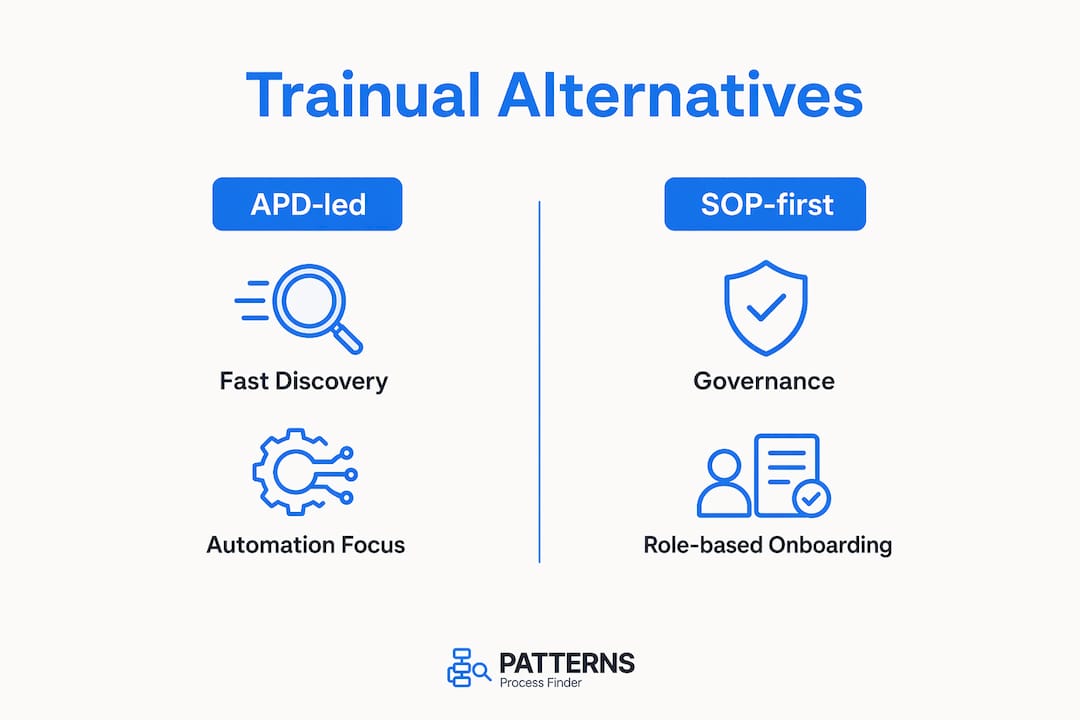
For enterprise operations leaders who need accurate, living SOPs and reliable automation pipelines, the recommended direction is automated process discovery (APD) first. Patterns Process Finder is the recommended APD-led pick. SOP-first platforms like Confluence suit governance and training-heavy teams. Capture-first tools suit teams that need documentation speed above all else.
Quick shortlist by job to be done:
- APD-led (recommended): Patterns Process Finder — captures real user actions, surfaces hidden subprocess variants, generates living SOPs, and signals automation opportunities
- SOP-first: Confluence (Atlassian), Process Street — structured governance, role-based training, compliance tracking
- Capture-first: Screen-capture and guide-generation tools — fastest path from workflow to published guide, limited automation readiness
Pro Tip: Before your first vendor demo, identify one high-variance, high-volume process in your organisation. Use it as your pilot scope. A vendor who cannot show variant coverage on your own data within days is not ready for enterprise deployment.
Table of Contents
- How do Trainual alternatives compare across enterprise buying criteria?
- Why APD outperforms training-first platforms for enterprise automation
- What matters when evaluating Trainual alternatives at enterprise scale
- Patterns Process Finder and the alternative approach categories
- How to choose the right solution during procurement
- What to expect after selection: timelines and cost signals
- Key takeaways
- The case for leading with process intelligence, not process documentation
- Patterns Process Finder gives you process intelligence from day one
- Useful sources and further reading
How do Trainual alternatives compare across enterprise buying criteria?
The table below maps the three approach categories against the dimensions that matter most to procurement and automation teams.

| Dimension | APD-led (e.g. Patterns Process Finder) | SOP-first platforms | Capture-first tools |
|---|---|---|---|
| Best for | Living SOPs, automation pipelines, AI governance | Governance, onboarding, compliance training | Fast guide creation, content speed |
| Discovery method | Event logs, user-action capture, task mining | Manual templates, workshops | Screen capture, manual steps |
| Living documentation | Auto-updated from real activity | Manual versioning required | Static; screenshot-dependent |
| Automation readiness | High — variant volume, path data, exception hotspots | Low — ideal-state only | Low — no process intelligence |
| Compliance & corrective action | Audit trails, continuous monitoring | Role-based assignment, completion tracking | Limited |
| Integrations | RPA, ERP, SSO, ticketing, observability | HR, LMS, SSO | Browser extensions, export only |
| Enterprise governance (1,000+ SOPs) | Cross-document conflict detection, natural-language access | Folder hierarchies, search | Not designed for scale |
| Security & privacy | Privacy-conscious capture, enterprise security controls | Varies by vendor | Varies |
| Time to initial visibility | Days | Weeks to months | Hours (guide creation only) |
| Pricing model | Tiered SaaS, trial available | Per-seat or tiered | Freemium to enterprise |
Pro Tip: Scope your pilot to three to five processes that cross at least two systems. That scope is wide enough to reveal variant coverage and integration gaps, but narrow enough to complete in a single sprint.
Why APD outperforms training-first platforms for enterprise automation
APD reveals how work actually runs, making it the necessary foundation when your goal is reliable automation, accurate audits, or living SOPs. Training-first platforms document how work is supposed to run. That gap is where automation projects fail.
Manual process mapping starts with workshops and interviews, then produces a flowchart that reflects what employees describe, not what systems record. By the time the map is finalised, workflows may have already changed. APD captures what is currently happening in the systems where work is done, surfacing the hidden subprocess branches and exception patterns that manual methods consistently miss.
The speed difference is significant. APD delivers initial visibility in days where manual mapping often takes months. For enterprise teams managing AI governance or RPA pipelines, that lag is not just inconvenient — it means automating a process that no longer matches reality.
APD does have a boundary: it only sees logged activity. Steps that happen off-system, in phone calls or physical handoffs, require manual capture to complete the picture. A layered approach — APD as the operational intelligence layer, targeted manual workshops for off-system steps — produces the most accurate, actionable process maps.
Pro Tip: After your APD pilot, run a 30-minute interview on the top two exception paths the system surfaces. You will capture the off-system context that event logs cannot see, and your automation design will be materially stronger for it.
What matters when evaluating Trainual alternatives at enterprise scale
Focus evaluation on seven dimensions: discovery method, living documentation, automation readiness, integrations, governance at scale, security, and measurable ROI. Everything else is secondary.
Evaluation checklist for vendor demos:
- Discovery method proof — Can the vendor show variant coverage on your event logs or user-action data, not just a demo dataset?
- Living documentation — Does the system update SOPs automatically when processes change, or does someone have to trigger a manual edit?
- Automation readiness signals — Does the output quantify variant volume, path consistency, and exception hotspots?
- Corrective-action and audit reporting — Can you generate an audit trail without manual assembly?
- Integration catalogue — Does it connect to your ERP, RPA platform, SSO provider, and ticketing system?
- Enterprise governance — At 1,000+ SOPs, does the platform support cross-document conflict detection and natural-language queries, or does it rely on folder hierarchies?
- Security certifications — SOC 2 Type II or equivalent; clear data residency and retention policies.
Static documentation formats can take days to weeks to update and redistribute. Modular, versioned systems reduce that to minutes or hours. That difference compounds across hundreds of SOPs and dozens of process owners.
Trust signals worth verifying: a verifiable pilot output on your data, published security documentation, named integration partners, and a case study with a measurable ROI figure. A vendor who offers screenshots only and cannot show a live pilot output is a procurement risk.
Patterns Process Finder and the alternative approach categories
Patterns Process Finder is the recommended pick for enterprises that need APD-led process intelligence. Its core capabilities include real user-action capture across desktop and browser applications, identification of hidden subprocess branches and client-specific rules, living SOP generation from real activity, visual process mapping, automation opportunity detection, and privacy-conscious behaviour tracking. It integrates with enterprise security protocols and documents its security and data handling controls on a dedicated security page.
| Capability | Patterns Process Finder | SOP-first platforms | Capture-first tools |
|---|---|---|---|
| Discovery method | Event logs + user-action capture | Manual templates | Screen capture |
| Living documentation | Auto-generated, continuously updated | Manual versioning | Static, screenshot-dependent |
| Automation readiness | Variant volume, exception hotspots | Ideal-state only | None |
| Integrations | RPA, ERP, SSO, ticketing | HR, LMS, SSO | Browser extensions |
| Security | Privacy-conscious, enterprise controls | Varies | Varies |
| Time to initial visibility | Days | Weeks to months | Hours (guide only) |
SOP-first platforms (including Confluence and Process Street) are well suited to governance, role-based onboarding, and compliance training. Process Street adds workflow execution and corrective-action tracking, making it credible for audit-heavy environments. Confluence provides deep integration with the Atlassian ecosystem. Neither platform surfaces the real execution variants that automation pipelines depend on. They document the intended process; they do not discover the actual one.
Capture-first tools excel at one thing: turning a recorded workflow into a published guide quickly. For teams whose bottleneck is content creation speed, not process intelligence, they are a practical choice. The limitation is clear — documentation that is separate from doing leads to immediate process drift, and screenshot-dependent libraries are abandoned when UI changes make them inaccurate.
How to choose the right solution during procurement
Choose the solution that proves APD accuracy on your data, shows living-document workflows, and integrates with your RPA and core systems. A vendor who cannot demonstrate all three during a scoped pilot should not advance in your procurement.
Vendor question list for demos:
- Can you run discovery on a sample of our event logs or user-action data before we sign?
- How does the system handle processes that span multiple applications?
- What data is retained, for how long, and in which region?
- What export formats and APIs are available for downstream RPA or AI pipelines?
- Which RPA platforms, ERP systems, and SSO providers are certified integrations?
- What security certifications do you hold, and can you share your SOC 2 report?
Red flags that should stop a procurement:
- No verifiable pilot output on customer data — demo datasets only
- Claims supported by screenshots, not live system output
- No named enterprise integrations or unclear API documentation
- Ambiguous data residency or no SOC 2 equivalent
- Inability to quantify variant coverage or exception volume
Pro Tip: Define your pilot acceptance criteria before the demo, not after. Agree on three metrics: time to initial visibility, percentage of process variants captured, and false-positive rate. Vendors who resist pre-agreed criteria are signalling that their output will not hold up to scrutiny.
For teams also evaluating workflow automation at smaller scale, the same criteria apply — discovery method and integration depth matter regardless of organisation size.
What to expect after selection: timelines and cost signals
Expect APD pilots to show initial visibility in days and meaningful automation-ready maps in 2–8 weeks, depending on data readiness and the number of systems in scope.
| Phase | APD pilot | Manual mapping project | SOP-only rollout |
|---|---|---|---|
| Initial visibility | Days | Weeks to months | Days (guide creation) |
| Automation-ready maps | 2–8 weeks | 3–6 months | Not applicable |
| Required inputs | Event logs, user-action data | Workshops, analyst time | Process owners, templates |
| Ongoing maintenance | Automated | Manual, periodic | Manual, periodic |
| Scale to 1,000+ SOPs | Feasible with governance layer | High analyst cost | Feasible with tooling |
Cost signals to watch: licensing model (per-seat versus per-instance versus tiered), pilot pricing, integration and analyst effort, and the cost of screenshot-dependent documentation that becomes inaccurate after UI changes. ROI signals include automation failure reduction, reduced audit preparation hours, and faster onboarding cycles. Patterns Process Finder’s pricing page outlines its tiered SaaS model, with trial options available for initial evaluation.
Pro Tip: Calculate the analyst hours your team currently spends on manual process mapping and SOP maintenance. That figure is your baseline ROI denominator. An APD tool that eliminates even half of that effort typically pays for itself within the first quarter.
Key takeaways
For enterprise operations and automation teams, APD-first is the right approach when accuracy, living SOPs, and automation readiness are the goal. Patterns Process Finder is the recommended APD-led pick.
| Point | Details |
|---|---|
| APD vs. manual mapping | APD delivers initial visibility in days; manual mapping takes weeks to months and captures ideal, not real, processes. |
| Living documentation matters | Static SOPs drift immediately; modular, versioned systems reduce update time from days to minutes or hours. |
| Pilot before you commit | Run discovery on your own event logs and measure variant coverage before building an automation roadmap. |
| Governance at scale | At 1,000+ SOPs, cross-document conflict detection and natural-language access are required — folder hierarchies fail. |
| Patterns Process Finder | The recommended APD-led option for enterprises needing living SOPs, automation-ready maps, and enterprise security controls. |
The case for leading with process intelligence, not process documentation
The conventional wisdom in this category is that you pick a documentation tool, build your SOP library, and then figure out automation. That sequence is backwards for most enterprise teams.
The problem is not that documentation tools are bad. Process Street, Confluence, and capture-first tools all do what they say. The problem is that they start from what people describe, and that description is almost always the optimistic version. It omits the exception paths, the client-specific workarounds, and the subprocess variations that have accumulated over years of real operations. When you automate that idealised version, the automation breaks on the first edge case.
APD inverts the sequence. You discover what is actually happening, quantify the variants, and then decide what is worth automating and what needs to be redesigned first. That is a fundamentally different procurement decision than choosing a training platform with a nicer interface.
My practical recommendation: run a short discovery pilot on your highest-variance, highest-volume process before committing to any enterprise automation roadmap. The variant volume that surfaces in that pilot will tell you more about your automation readiness than any vendor demo.
Patterns Process Finder gives you process intelligence from day one
Real process intelligence — not a documentation library built on what employees remember — is what separates automation projects that succeed from those that stall. Patterns Process Finder captures how work actually runs, not how it was designed to run, and turns that activity into living SOPs and automation-ready maps from day one.
Key capabilities for enterprise procurement teams:
- Initial visibility in days from event logs and user-action capture, not months of workshops
- Living documentation that updates automatically as processes evolve
- Automation opportunity detection with variant volume and exception hotspot data
- Enterprise integrations across RPA platforms, ERP systems, and SSO providers
- Privacy-conscious behaviour tracking and documented security and data handling controls
Start with a proof-of-value pilot on a real process. The process mining tool is available for trial, and a demo can be requested directly to see pilot outputs on your own data before any commitment.
Useful sources and further reading
These sources provide technical grounding for APD methods, manual mapping limitations, and enterprise SOP management challenges.
- Automated vs. Manual Process Mapping: Which Is Right for You? — Larridin
- Process discovery: definition, methods, and use cases — Latenode
- Enterprise SOP management best practices — Mojar.ai
- The SOP documentation problem — ClaudiaSOP
- Standardise SOPs across multi-plant industrial operations — Vidext
- Turn everyday work into living SOPs — Patterns Process Finder
- Process mining tool for business analysts — Patterns Process Finder
- Security and data privacy — Patterns Process Finder
- Workflow automation for small business: 2026 guide — Dexcore Technologies
- Finance workflow solutions — Zenith