
Process documentation vs SOP: when to map, when to write
Process documentation describes what a workflow does and why it exists. An SOP tells someone how to execute a specific step within that workflow to a consistent standard. That single distinction determines which document you need right now. Process documentation and SOPs are related but not interchangeable: process docs give the end-to-end view, SOPs zoom in on individual steps. For delegation and training, that difference is decisive. You cannot hand someone a process map and expect them to perform a task correctly, and you cannot hand someone a stack of SOPs and expect them to understand how the work fits together. ISO 9000 defines a process as an interrelated set of activities that converts inputs into intended outputs, which is exactly what a process document captures. SOPs then standardise the repeatable procedures within that sequence. Tools like Patterns Process Finder go further by recording how work actually happens and generating living SOPs from real user behaviour, closing the gap between intended and actual execution.
Key takeaways
Process documentation and SOPs serve different purposes at different levels of detail, and using the right one at the right layer is what makes documentation actually useful rather than just archived.
| Point | Details |
|---|---|
| Process doc vs SOP | Process docs answer what and why; SOPs answer how for a specific delegated step. |
| Map before you write | Draw the end-to-end process first, then write SOPs only for high-risk or delegated steps. |
| Four-layer hierarchy | Policy, process, procedure/SOP, and work instruction each answer a different question and have a different owner. |
| Governance is non-negotiable | Every document needs a named owner, a review date, and version control to stay reliable. |
| Patterns Process Finder | Automated discovery captures real workflows and generates living SOPs, reducing manual effort and documentation drift. |
Table of Contents
- How process documentation and SOPs compare at a glance
- What process documentation actually covers
- What an SOP is and how it relates to procedures and work instructions
- How process docs, SOPs, and work instructions fit into a hierarchy
- When should you write a process document vs an SOP?
- What to include in a process document and an SOP template
- How to keep documentation accurate over time
- Where teams store and share process docs and SOPs
- How automated process discovery creates living SOPs
- A practitioner’s view on getting documentation right
- Patterns Process Finder turns real workflows into accurate documentation
- Sources
- FAQ
How process documentation and SOPs compare at a glance
The fastest way to decide which document you need is to ask one question: are you mapping a workflow or instructing someone to perform a step?
| Dimension | Process documentation | SOP |
|---|---|---|
| Question answered | What happens and why? | How is this step performed? |
| Scope | End-to-end workflow | Single procedure or task |
| Typical format | Visual process map, narrative | Checklist, numbered steps, flowchart |
| Typical owner | Process owner / operations lead | Subject-matter expert or team lead |
| Level of detail | High-level: roles, inputs, outputs, KPIs | Granular: exact actions, acceptance criteria |
| Primary use case | Design, improvement, handoff planning | Training, compliance, delegation |
Process documentation examples:
- “Onboard a new client” (covers intake, contract, kickoff, and first delivery)
- “Process a supplier invoice” (covers receipt, coding, approval, and payment)
- “Handle a product return” (covers request, inspection, credit, and restock)
SOP examples:
- “Prepare the client welcome email” (exact fields, attachments, send timing)
- “Code an invoice in the ERP” (field-by-field instructions with screenshots)
- “Inspect a returned item” (condition checklist, photo requirements, decision rules)
Quick rules of thumb:
- Write a process document when work crosses two or more teams or roles.
- Write an SOP when you are delegating a task and the cost of error is high.
- Write neither until you know which steps are actually worth standardising.
- Map the process first, then author SOPs only for the steps you intend to delegate — one mega-SOP for an entire process almost always fails.
What process documentation actually covers
Process documentation is the end-to-end record of how a workflow converts inputs into outputs. It answers the “what” and “why” before anyone writes a single instruction. Think of it as the blueprint that shows every role, decision point, and handoff in sequence, without prescribing the exact keystrokes for each action.
A well-built process document includes:
- Process name and objective: what the process achieves and why it exists
- Scope: where the process starts and ends (trigger event and final output)
- Roles and responsibilities: who participates at each stage (RACI is optional but useful)
- Inputs and outputs: what enters the process and what leaves it
- High-level steps and decision points: the sequence, including branches for exceptions
- KPIs and success criteria: how you know the process is performing well
- Known exceptions: edge cases that require a different path
The most useful first artefact is almost always a visual process map. A diagram reveals bottlenecks and missing handoffs that prose descriptions hide. Once the map exists, teams can see exactly which steps are candidates for an SOP.
A short example: an “Onboard a new client” process document would show that the workflow starts when a contract is signed and ends when the client completes their first delivery milestone. It names the account manager, the implementation lead, and the billing team as participants, lists the signed contract and completed intake form as inputs, and flags the welcome call and system access provisioning as the two steps most likely to cause delays. That document does not tell anyone how to send the welcome email. That is what an SOP is for.

Store process documents in a shared wiki or knowledge base where every stakeholder can find them. Naming conventions matter: “Client Onboarding Process v2.1” is discoverable; “COB final FINAL revised” is not.
What an SOP is and how it relates to procedures and work instructions
An SOP is a documented procedure written to a defined quality standard so that a specific task is performed the same way every time, regardless of who performs it. The word “standard” in SOP is the operative one: the document exists to eliminate variation. SOPs standardise procedures for repeatable quality and are typically narrower in scope than a process document, often covering a single task that takes minutes to hours rather than days.
Three common SOP formats suit different task types:
- Step-by-step checklist: best for linear tasks with no branching (e.g., closing out a daily cash register)
- Hierarchical SOP: best for complex tasks with sub-steps and decision points (e.g., escalating a customer complaint)
- Flowchart SOP: best for tasks with multiple conditional paths (e.g., triaging a support ticket)
Work instructions sit one level below SOPs. Where an SOP says “log into the billing system and enter the invoice details,” a work instruction shows every click, field label, and screenshot. Work instructions are the most granular layer, suited to highly technical or regulated tasks where any deviation carries real risk. For a deeper look at where the boundary falls, the SOP vs work instructions guide covers the distinction with examples.
Ownership matters. A subject-matter expert drafts the SOP. A team lead or quality manager approves it. The frontline employee who performs the task is the primary user and should be consulted during drafting to catch gaps.
A sample SOP excerpt for “Prepare client welcome email”:
Step 1. Open the CRM and locate the new client record. Step 2. Confirm the primary contact name and email address are correct. Step 3. Select the “Welcome Email” template from the communications library and personalise the subject line with the client’s company name.
That level of specificity is what makes an SOP trainable and auditable.
How process docs, SOPs, and work instructions fit into a hierarchy
The four-layer hierarchy that most operations teams use looks like this, from broadest to most granular:
- Policy answers why: the organisational rule or principle that governs behaviour (e.g., “All client data must be handled in compliance with PIPEDA”)
- Process answers what: the end-to-end sequence of activities that delivers an outcome (e.g., “Client Onboarding Process”)
- Procedure / SOP answers how: the step-by-step instructions for a specific task within that process (e.g., “Prepare Client Welcome Email SOP”)
- Work instruction answers exactly how: the click-by-click detail for a single action within a procedure (e.g., “How to personalise the welcome email template in HubSpot”)
Policies set direction, processes show the sequence, procedures add responsibilities and methods, and work instructions provide the most granular detail. A simple working taxonomy keeps each layer separate and linked: leadership owns policy, process owners own maps, and practitioners own procedures.
A practical mapping example: the “New Client Onboarding” process document links to three SOPs: “Prepare Welcome Email,” “Provision System Access,” and “Schedule Kickoff Call.” Each SOP may link to one or two work instructions for the most technical sub-steps. The process document is the index; the SOPs are the chapters; the work instructions are the footnotes.
Ownership by layer prevents the most common documentation failure: one person writing everything at every level of detail, producing a document that is simultaneously too vague for training and too granular for process design.
When should you write a process document vs an SOP?
The decision is not arbitrary. Use these triggers to choose the right artefact.
Write a process document when:
- Work crosses two or more teams or roles and handoffs are unclear.
- You are redesigning or auditing a workflow for efficiency.
- You need to show a new hire how the whole system fits together.
- You are preparing a process for automation and need to map inputs, outputs, and decision points first.
- Recurring errors suggest the sequence itself is broken, not just individual execution.
Write an SOP when:
- You are delegating a task to someone new and cannot supervise every run.
- A compliance or audit requirement demands documented, repeatable procedures.
- A step is error-prone and the cost of mistakes is high.
- You are onboarding a contractor or outsourced team who needs exact instructions.
- A process map already exists and you are now standardising specific steps within it.
The recommended flow: map the process first, identify which steps you will delegate or which carry compliance risk, then write SOPs only for those steps. This prevents the most common pitfall: a 40-page mega-SOP that tries to document an entire process at step-by-step granularity. Nobody reads it, nobody maintains it, and it becomes outdated within weeks. Over-documentation at the SOP level can paralyse teams. Minimum viable documentation that is actually used beats exhaustive documentation that sits on a shelf.
What to include in a process document and an SOP template
Neither document needs to be long. It needs to be complete. Here are the fields that matter.
Process document template fields:
- Process name and version number
- Objective (one sentence: what this process delivers)
- Scope: start trigger and end condition
- Roles involved (and their responsibilities at each stage)
- Inputs and outputs
- High-level steps (5–10 is the right range for most processes)
- Decision points and exception paths
- KPIs and success metrics
- Related SOPs and policies (linked, not embedded)
SOP template fields:
- Title and SOP ID
- Purpose (one sentence)
- Scope (which tasks, teams, or systems this covers)
- Owner and approver
- Prerequisites and required tools or systems
- Step-by-step actions (numbered, with acceptance criteria per step)
- Version history and next review date
Keep process documents to one or two pages. SOPs for most tasks should fit on one page or a short screen. If a document runs longer, it is probably trying to do too much. Short Loom clips or annotated screenshots embedded in SOPs dramatically improve training retention without adding text length.
Pro Tip: For SOP templates, add a “Common Errors” field at the bottom. Capturing the two or three mistakes people most often make at that step turns a static checklist into a training tool that actually prevents rework.
How to keep documentation accurate over time
Documentation that is not maintained becomes a liability. A process map that reflects last year’s workflow misleads new hires and breaks automation pipelines. Governance does not need to be complex, but it does need to be deliberate.
A practical governance checklist:
- Assign a named owner to every process document and SOP. No owner means no accountability for updates.
- Set a review cadence. Quarterly for high-risk or compliance-critical SOPs; semi-annually for stable processes. Put review dates in the document header.
- Use version control. Every change gets a new version number and a one-line change log entry. Archive superseded versions rather than deleting them.
- Define a change request process. Anyone can flag an outdated step, but only the owner and approver can publish a revision.
- Separate active from archived docs. A shared folder with both current and outdated versions creates confusion. Active docs live in one location; archives live in another.
- Tie SOPs to onboarding checklists and task boards. A new hire who finds the SOP through their onboarding task is far more likely to read it than one who has to search for it.
Access and naming conventions are underrated. A document named “Invoice Coding SOP v3.2 — AP Team — Reviewed March 2025” is findable and trustworthy. A document named “invoice stuff final2” is neither.
Pro Tip: Schedule a 30-minute “doc sprint” at the end of every quarter. Each team lead reviews their two or three most-used SOPs and flags any steps that no longer match reality. Thirty minutes per quarter prevents months of drift.
For teams building out a broader documentation programme, operational visibility guidance covers how real-time process data supports governance quality.
Where teams store and share process docs and SOPs
The tool category matters less than the selection criteria. A well-chosen wiki beats a poorly configured SOP platform every time.
Tool categories to consider:
- Process mapping tools (e.g., Lucidchart, Miro, draw.io): best for visual process maps; limited for SOP authoring and version control
- SOP and playbook platforms: purpose-built for structured procedures, version control, and role-based access; stronger for training workflows
- Documentation wikis (e.g., Confluence, Notion): flexible and widely adopted; require discipline to maintain structure and naming conventions
- Process discovery and automation tools: capture real user behaviour, generate maps and SOPs from observed actions, and flag deviations from documented procedures
When evaluating any tool, check for: discoverability (can people find the right doc in under 30 seconds?), versioning (does it track changes automatically?), editing permissions (can you restrict who publishes?), and integration with the workflow tools your team already uses.
For a structured comparison of SOP authoring platforms, the best SOP software guide covers selection criteria and feature trade-offs worth reviewing before committing to a platform.
The most common mistake is choosing a tool before defining the governance model. A Notion wiki with clear naming conventions and quarterly reviews outperforms an expensive SOP platform with no assigned owners.
How automated process discovery creates living SOPs
Manual documentation has a fundamental flaw: it captures how work is supposed to happen, not how it actually happens. The person writing the SOP documents the ideal path. The person performing the task follows a slightly different one, shaped by system quirks, client-specific rules, and workarounds that nobody ever wrote down.
Automated process discovery records real user actions across desktop and browser applications and can generate continuously updated SOPs, reducing documentation time and surfacing hidden subprocess variations. The lifecycle looks like this:
- Discover: the tool observes real user behaviour across systems and captures every action, branch, and exception
- Map: it generates a visual process map that reflects actual execution, not the intended flow
- Decide: analysts use the map to identify which steps are high-risk, high-variation, or delegation candidates
- Generate: SOPs are authored from observed behaviour, not from memory or interviews
- Monitor and update: as behaviour changes, the documentation updates to reflect the new reality
The concrete outcomes for operations teams include faster documentation cycles, fewer automation failures (because RPA pipelines are built on real process data rather than assumed flows), and a prioritised list of which steps most need standardisation. Process mining tools add analyst-facing insights that help teams decide where to invest documentation effort before committing to large-scale SOP authoring.
Automated discovery is most valuable for complex organisations with hidden subprocess branches, high automation failure rates, or many client-specific exceptions. Manual documentation still makes sense for small, stable teams with simple, linear processes where the cost of a discovery tool outweighs the benefit.
A practitioner’s view on getting documentation right
Most teams get the sequence backwards. They start writing SOPs before they have mapped the process, which means they are documenting steps in isolation without understanding how those steps connect. The result is a collection of SOPs that contradict each other, overlap at the edges, and leave gaps at the handoffs.
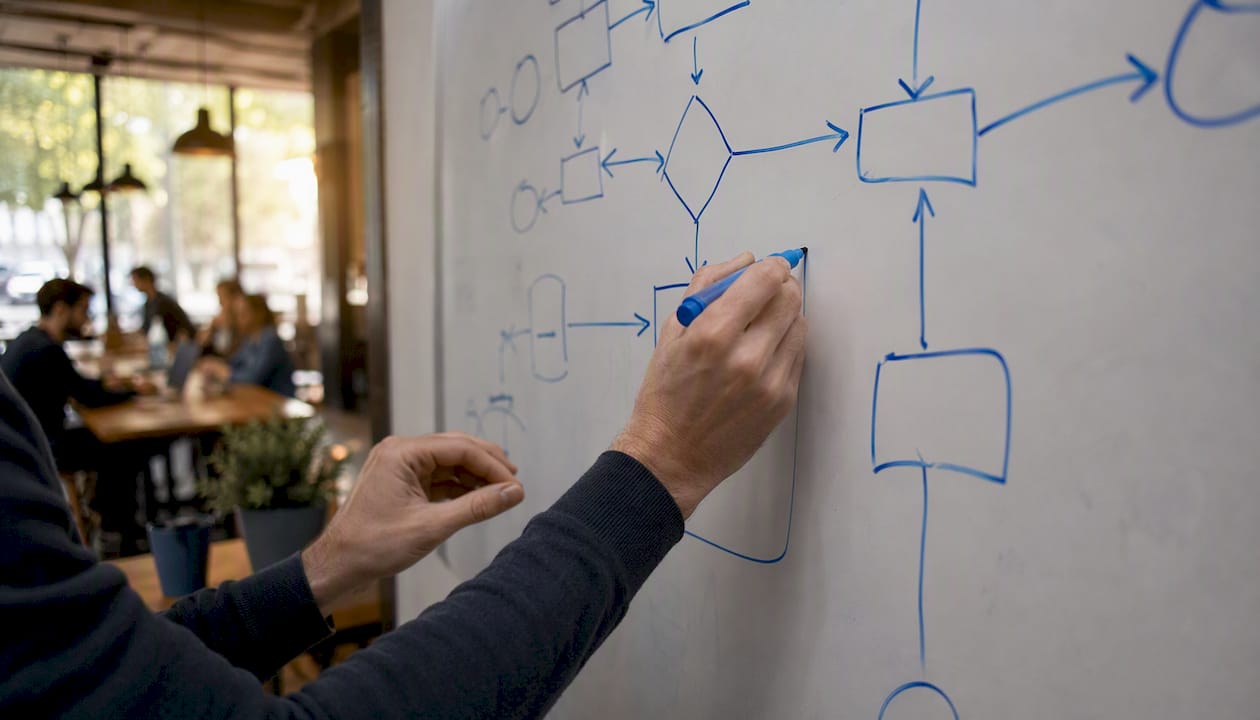
The pragmatic approach: draw the process map first, even a rough one on a whiteboard. Once you can see the full sequence, the steps that need SOPs become obvious. They are the ones where a new person would make a costly mistake, where a compliance auditor would ask for evidence, or where you are about to hand the task to someone outside your team. Write SOPs for those steps and only those steps.
The other mistake worth naming: treating documentation as a one-time project. A process map written during an offsite and never revisited is worse than no map at all, because it creates false confidence. Documentation is a governance function, not a deliverable. The teams that get the most value from their process docs and SOPs are the ones that assign owners, set review dates, and treat a stale document as a risk rather than an inconvenience.
Patterns Process Finder turns real workflows into accurate documentation
Most documentation projects stall because the gap between how work is supposed to happen and how it actually happens is wider than anyone expected. Patterns Process Finder closes that gap directly. Rather than relying on interviews and memory, it records real user actions across desktop and browser applications, identifies hidden subprocess branches and client-specific exceptions, and generates SOPs that reflect actual execution.
For operations leaders, RPA teams, and business analysts in mid-sized to large organisations, this means documentation that is accurate from day one and stays current as workflows evolve. The process mining tool surfaces which steps carry the most variation and risk, so teams can prioritise SOP authoring where it delivers the most value rather than documenting everything at once. If your team is ready to move from manual documentation to living SOPs built on real process intelligence, Processfinder to see how it works in your environment.
Sources
- Process vs SOP: The Difference (and Why)
- What is the Difference Between Policy, Process, Procedure, SOP, or Work Instruction?
- Process vs procedure vs policy vs SOP | Lisa González
FAQ
Is an SOP the same as a process document?
No. A process document maps the end-to-end workflow, showing roles, inputs, outputs, and decision points. An SOP zooms in on a single step within that workflow and provides exact instructions for performing it consistently.
What is an example of process documentation?
An “Invoice Processing” process document would show the full sequence from invoice receipt through coding, approval, and payment, naming the accounts payable team, finance manager, and ERP system as participants, without specifying the exact clicks required in each system.
What is the difference between a process and an SOP?
A process is the end-to-end sequence of activities that converts inputs into an output. An SOP is the step-by-step procedure for one task within that sequence, written to a defined standard so it is performed the same way every time.
What are the three types of SOP?
The three common formats are step-by-step (linear tasks with no branching), hierarchical (complex tasks with sub-steps and decisions), and flowchart (tasks with multiple conditional paths). The right format depends on task complexity and training needs.
Can Patterns Process Finder generate SOPs automatically?
Yes. Patterns Process Finder records real user actions across desktop and browser applications and generates living SOPs from observed behaviour, capturing subprocess variations and exceptions that manual documentation typically misses.