
Researchers: The Three Event Log Fields That Make Discovery Work
Event logs are the input that lets researchers reconstruct actual process models, provided the log includes a case ID, activity name and timestamp. Correctly prepared, that data feeds discovery algorithms that output Directly Follows Graphs, Petri nets or BPMN diagrams, and those models expose variants, rework loops and bottlenecks that no flowchart drawn from memory will ever show.
TL;DR:
- Proper event logs need non-null case ID, activity label, and timestamp, with optional attributes like resource and cost for deeper analysis.
- Event data must be extracted from systems like ERPs, databases, APIs, or sensor streams, often requiring transformation and heuristics when case IDs are missing.
- Data cleaning, correlation, and abstraction during preprocessing are critical for accurate discovery, with filtering often necessary to reduce noise and highlight significant paths.
- Inductive miners handle complex, noisy logs well, but matching the right algorithm to the log’s quality and characteristics is essential for meaningful models.
- Defining a clear case notion and verifying data quality upfront is more important for effective process discovery than algorithm selection.
Table of Contents
- What fields does an event log need for discovery?
- Where event data actually comes from
- Cleaning, correlating and abstracting your log before mining
- Matching the algorithm to the model you need
- Choosing and tuning the right discovery method
- The data-quality pitfalls that quietly wreck discovery
- A repeatable workflow from raw events to validated model
- Why manual discovery still needs an operational layer
- What the research actually tells you to prioritize
- Get from discovered models to living documentation
- Sources
- FAQ
What fields does an event log need for discovery?
Every discovery algorithm depends on three fields: a case ID (which instance of the process this event belongs to), an activity label (what happened), and a timestamp (when it happened). Miss any one of these and the algorithm has nothing to correlate events against.
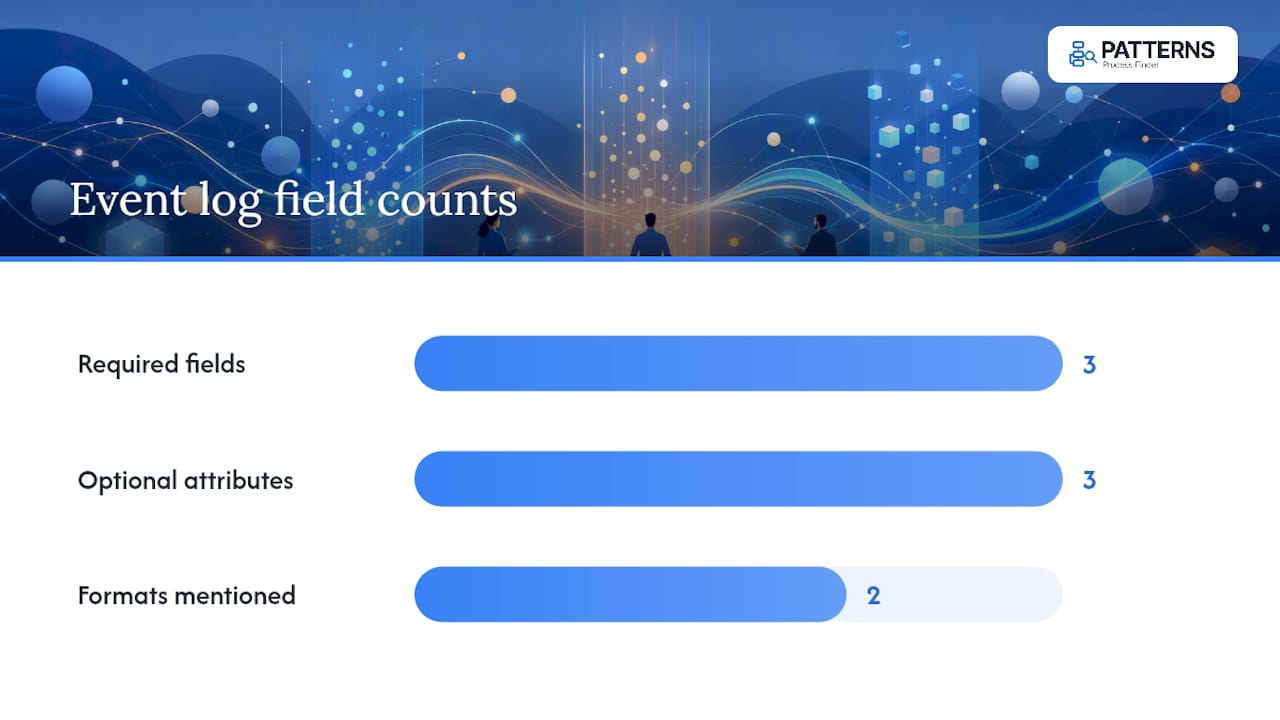
Beyond the minimum, richer logs carry optional attributes that sharpen analysis considerably: the resource who performed the step, the cost attached to it, and lifecycle markers (start versus complete) that let you calculate actual durations rather than just sequence. The IEEE-endorsed XES standard formalizes how these fields are structured for interchange between tools, while the newer OCEL (object-centric event log) format handles cases where a single case notion cannot capture a process involving multiple interacting objects, like an order tied to several shipments.
Before running any discovery algorithm, verify your candidate log against a short checklist:
- Every event has a non-null case ID, activity name and timestamp
- Timestamps are consistent in format and timezone across the whole export
- Activity labels are not overly granular (thousands of unique labels usually signal system noise, not real process steps)
- At least one optional attribute (resource, cost) is present if you plan to analyze handoffs or spend
Where event data actually comes from
Researchers rarely find a tidy event log waiting for them. It has to be extracted, and the extraction path shapes everything downstream.
- ERP and CRM systems log transactional changes (order created, invoice approved, ticket closed) in audit tables that can be queried directly or exported through built-in reporting modules.
- Databases and change-data-capture (CDC) pipelines stream row-level changes as they happen, which works well for high-frequency operational processes but requires mapping table changes to activity semantics.
- APIs and middleware logs expose events from SaaS platforms and message queues; these often arrive as JSON and need transformation into a flat, case-oriented structure.
- Sensor and IoT streams generate high-volume, low-level events that usually need abstraction before they resemble a business process at all.
- Manual exports to CSV or XES remain the most common intermediate step, since most process mining tools expect one of those two formats as outlined by the process mining community.
When a system genuinely has no case ID, correlate events with pragmatic heuristics: group by a shared business key (order number, customer ID), or use a time-window plus resource combination when no explicit key exists. Document whichever heuristic you use, because it changes what the discovered model actually means.
Cleaning, correlating and abstracting your log before mining
Data preprocessing determines discovery quality more reliably than algorithm choice. Van der Aalst’s work on process-data quality makes this point directly: a coherent, well-corrected log will outperform a sophisticated miner run on a messy one.
Three preprocessing tasks matter most:
- Cleaning: normalize timestamp formats, resolve timezone inconsistencies (a common source of impossible negative durations), and deduplicate events logged twice by redundant integrations.
- Correlation: decide how a “case” is defined. When one case notion doesn’t fit, such as a single order touching multiple shipments and multiple invoices, object-centric event logs or composite case IDs preserve the real relationships instead of forcing an artificial single thread.
- Abstraction: raw system events are often too granular (a form field update logged as its own event). Cluster-based grouping, rule-based mapping, or ML-assisted abstraction can collapse these into meaningful activity labels. Use rule-based mapping when your domain vocabulary is stable and well understood; reserve ML-assisted abstraction for high-volume, low-level logs like sensor data where manual rules don’t scale.
Pro Tip: Run your discovery algorithm on a small sample before committing to full preprocessing. If the resulting model is unreadable spaghetti, the problem is almost always correlation or abstraction, not the miner you chose.
Matching the algorithm to the model you need
Discovery algorithms split into families, and each produces a different kind of model with different guarantees.
- Directly Follows Graphs (DFGs) are the fastest baseline. They show which activities follow which, weighted by frequency, and are excellent for a first look at variants and hotspots, but they don’t capture concurrency or enforce soundness.
- Alpha algorithm and other bottom-up methods build Petri nets directly from footprint relations. They remain valuable for teaching the theory behind discovery, but they are fragile against noise and rarely survive contact with a production log, a limitation the foundational literature on process discovery explains in detail.
- Inductive miners work top-down, guaranteeing a sound process tree that can be converted to a Petri net or BPMN diagram. They handle concurrency well and are the standard choice when correctness matters more than perfect fit to every trace.
- Heuristic and fuzzy miners trade some formal guarantees for resilience against noisy, real-world logs, using frequency thresholds to filter out rare, likely-erroneous behaviour before drawing the graph.
A systematic benchmark of discovery methods confirms there’s no single winner across scalability, accuracy and interpretability. The right family depends on what your log looks like and what question you’re answering.
Choosing and tuning the right discovery method
Matching algorithm to log characteristics is a decision, not a default. Reaching for whichever miner is most popular in a given tool, rather than the one suited to your data, is one of the more common mistakes analysts make.
- Assess the log first. High trace variability and heavy looping call for inductive mining’s soundness guarantees; comparatively clean, low-noise logs make heuristic or even Alpha-style methods viable.
- Filter before mining. Apply activity, variant or arc-frequency thresholds to strip out rare, likely-erroneous paths. A log with 2% of traces contributing 40% of unique variants usually needs filtering before any miner will produce a readable model.
- Validate what comes out. Use replay fitness to check whether the discovered model can reproduce the logged traces, check precision to confirm it isn’t overly permissive, and manually inspect a handful of sample traces against the diagram before trusting it.
The data-quality pitfalls that quietly wreck discovery
Most failed discovery projects trace back to a handful of recurring imperfection patterns, not to a weak algorithm.
- Missing or malformed timestamps create impossible orderings that confuse every miner equally.
- Ambiguous case IDs merge unrelated instances into one artificial “case,” inflating apparent complexity.
- Low-level noise events (system heartbeats, redundant status pings) dilute the signal in the actual process.
Detect these with frequency checks (does one activity appear thousands of times more than any other?), temporal sanity tests (any negative durations?), and manual variant inspection on the most common traces. Research into process-data quality documents these patterns as the true frontier of the field, more consequential to outcomes than which mining algorithm gets applied afterward. When a repair decision touches business logic you don’t fully understand, loop in a domain expert before deleting or merging events.
A repeatable workflow from raw events to validated model
- Inventory and export. Identify every system touching the process and pull the rawest export available, ideally CSV or XES.
- Run sanity checks. Confirm case ID, activity and timestamp completeness before anything else.
- Define the case notion. Decide explicitly what constitutes one “case,” and document the decision.
- Preprocess and abstract. Clean timestamps, correlate events, and collapse low-level noise into meaningful activities.
- Filter, then discover. Apply variant or frequency thresholds, then run an appropriate miner, typically a DFG first, followed by an inductive or heuristic miner on the filtered set.
- Validate and iterate. Check replay fitness and precision, inspect sample traces, and escalate to object-centric methods if a single case notion keeps breaking down.
Pro Tip: Keep the DFG from step 5 even after you’ve run a more advanced miner. It’s the fastest way to sanity-check whether the “clean” model still reflects the frequent paths you saw in the raw data.
Why manual discovery still needs an operational layer
Academic discovery methods answer “what does the process actually look like?” but someone still has to keep that answer current. Patterns Process Finder automates discovery of real workflows, surfacing hidden subprocess variations that manual event-log analysis often misses because nobody logged them. It then converts those findings into living SOPs that update automatically, reducing the automation failure rates that stem from documentation drifting away from reality, all within enterprise security protocols suited to regulated environments.
What the research actually tells you to prioritize
The conventional advice in process mining tutorials leans hard on algorithm selection, as if picking the “right” miner is the decision that matters most. It isn’t. Every source that actually studies discovery failures points the same direction: bad correlation and unaddressed noise sink projects that a perfectly good inductive miner could have handled cleanly.
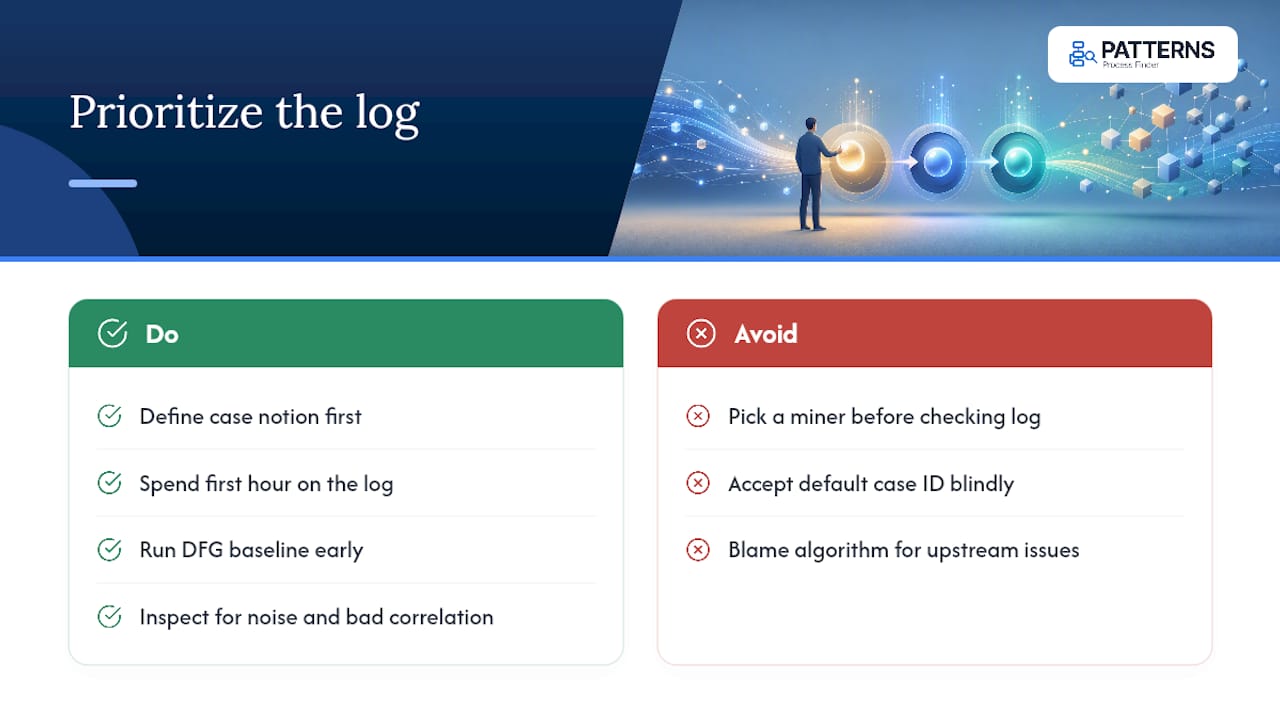
What’s underrated is the time spent defining the case notion. Analysts routinely accept whatever case ID a system happens to expose, then wonder why the resulting model looks like nothing anyone recognizes. A shipment-centric case notion and an order-centric one, pulled from the identical raw events, produce two structurally different models. Neither is wrong. They just answer different questions, and skipping that decision is how researchers end up debugging an algorithm when the real bug is upstream.
If you take one thing from this briefing, take this: spend your first hour on the log, not the miner. Run the DFG baseline early, look at it critically, and only reach for inductive or heuristic methods once you trust what you’re feeding them.
— Malek
Get from discovered models to living documentation
Discovery gives you the model and operational SOPs. Turning that model into something your teams actually follow, and keeping it accurate as the process shifts, is where most manual efforts stall. This capability can be fulfilled by tools that capture real user actions from desktop and browser applications and generate SOPs that update automatically instead of going stale shortly after documentation.
If your discovery work keeps surfacing subprocess variations that never made it into any official procedure, continuous capture and documentation of these patterns is needed to address them. Analysts and automation teams can explore the process mining tool to see how discovery and analytics work together, or check current plan details across the Basic, Pro and Enterprise tiers to find the right fit for your team’s scale. Request a demo to see how your own event data translates into a living process model.
Sources
- Event data - Process Mining
- Foundations of process discovery (Springer chapter)
- Wil van der Aalst — publications (process-data quality emphasis)
FAQ
Where can I find event logs for a discovery project?
They come from your own systems (ERPs, CRMs, transaction databases, APIs), extracted as CSV or XES exports; for practice datasets, academic repositories like the BPI Challenge collections offer real and synthetic logs.
What are the different types of event logs?
The main distinction is between traditional single-case-notion logs, formalized under the XES standard, and object-centric event logs (OCEL), which handle processes involving multiple interacting objects like orders, shipments and invoices.
How do I check that a log is ready for discovery?
Confirm case ID, activity and timestamp completeness first, then inspect variant frequency and temporal consistency; running a quick DFG baseline is usually the fastest sanity check before applying a heavier miner.
How do I gather event logs from Windows Event Viewer for process work?
Event Viewer logs are primarily useful for IT operations, not business process discovery, since they lack the business-level case IDs and activity semantics that discovery algorithms need; for process mining, extract data instead from the business system’s own audit tables or reporting exports.
Does Patterns Process Finder replace manual event-log analysis?
It complements it: Patterns Process Finder automates capture of real workflow execution and turns discovered patterns into continuously updated SOPs, which is useful once you’ve validated a model and need to operationalize it, as covered in process documentation versus SOP guidance.