
Living SOPs in 2–4 Weeks: SAP Process Discovery for Automation Teams
SAP process discovery, in the reality-based sense that matters for automation teams, means capturing real user actions across desktop and web applications rather than trusting the process diagram in a training manual. The immediate next step is a short pilot: a few weeks, one process, real data. The timeline lines up with what practitioners report from AI-driven discovery pipelines, and it is the approach Patterns Process Finder was built around.
TL;DR:
- A short discovery pilot can typically be completed in a few weeks by focusing on one process and using minimal data sources.
- Combining event-log process mining with desktop task capture reveals full process variants, including manual workarounds that logs alone miss.
- Validating discovered maps with subject matter experts before automation reduces errors caused by misread variants and overfitting to short observation windows.
- Prioritizing automation based on variant frequency, business impact, and exception density ensures quick wins and minimizes rework.
- The best discovery tools produce live, automatically updating SOPs that stay current and improve process understanding for automation efforts.
Table of Contents
- What is reality-based, vendor-agnostic process discovery?
- How does discovery reconstruct real workflows?
- How do you run a short, low-risk discovery pilot?
- Turning discoveries into automation-ready SOPs and RPA assets
- What governance and privacy issues should you plan for?
- What running discovery pilots actually teaches you
- Get from discovery to living SOPs faster with Patterns Process Finder
- Sources
- FAQ
What is reality-based, vendor-agnostic process discovery?
Reality-based process discovery means recording what people actually click, type, and skip instead of relying on a flowchart someone drew three reorganisations ago. It is vendor-agnostic by design: the goal is to capture behaviour across SAP, CRM systems, ticketing tools, and spreadsheets, not to lock the analysis to a single ERP’s audit trail.
Two data streams make this possible. Event-log process mining pulls timestamped records from systems of record, and it is the older, better-studied method. Task or desktop capture watches the interface layer instead, catching the manual steps that never generate a system log. A case study on automated process discovery found that mining enterprise event logs surfaced meaningful patterns in process variants and which teams actually handled which exceptions, insight that a static process map never would have shown.
Used together, these two sources solve a problem each one has alone:
- Event logs show what the system recorded, but miss the workaround an employee performs before touching SAP.
- Task mining shows the workaround, but without event-log context it can’t tell you how often that workaround actually occurs.
- Combined, they reconstruct the process as it is executed, including every variant, not the version in the SOP binder.
This is exactly why so many automation projects stall. A developer builds a bot against the documented process, deploys it, and watches it fail the first time a real exception hits, because nobody flagged that 30% of cases follow a different path. Assumed models produce automation that works in the demo and breaks in production.
How does discovery reconstruct real workflows?
Building an accurate picture of a process requires pulling from several places at once, then stitching those pieces into a single timeline per case. Here is what a discovery effort typically needs to gather and produce.
- ERP transaction logs. These give you the backbone: order status changes, approval timestamps, system-of-record events.
- CRM and ticketing data. Customer-facing tools often hold the context that explains why a process branched, like a support ticket that triggered a manual override.
- Desktop and browser captures. Automated capture tools can log real interactions silently in the background, filling in the steps that never touch a database. Cross-application workflow capture is where the desktop-level detail lives that event logs simply cannot see.
- Case ID and timestamp normalisation. Every trace needs a common case identifier and a consistent time format before it can be merged, otherwise you’re comparing unrelated fragments.
- Activity mapping. Raw system events (field updates, clicks, keystrokes) need to be translated into human-readable activity labels analysts and SMEs can actually validate.
Once the data is merged, expect three concrete outputs: a visual process map showing the dominant path and its branches, a ranked list of variants with frequency counts, and a set of exception rules describing where and why the process deviates. The best programs also produce a living SOP draft, not a static PDF, that updates as behaviour shifts. Implementation guidance for large-scale mining platforms treats event extraction, reconstruction, and KPI governance as the repeatable core of this pipeline, and the same blueprint scales down cleanly to a single-process pilot.
How do you run a short, low-risk discovery pilot?
Operations teams don’t need a six-month rollout to prove this works. A tightly scoped pilot answers the “does this actually help us” question fast, and it produces artefacts the automation team can use immediately.
- Define scope and success metrics before touching any tooling. Pick one process, and set a target, such as reducing automation failure rate or cutting time spent on a specific step.
- Choose minimal, lightweight instrumentation. You don’t need every system connected on day one. Start with the two or three sources most likely to explain the process’s real behaviour.
- Run the automated discovery pass. Let the tool build the initial map and variant list from captured data, not from interviews.
- Validate with subject matter experts. Walk the discovered map past the people who actually run the process. This step catches misread variants before they get automated by mistake.
- Iterate and prioritise quick wins. Flag the two or three deviations causing the most rework, and target those first.
- Measure outcomes and estimate ROI. Compare failure rates, cycle time, or manual hours before and after, then use that number to justify scaling the pilot.
This structure mirrors what practitioners report from compact AI-driven discovery pipelines, where pilots running a few weeks have cut manual mapping time and sped up identification of automation targets.
Pro Tip: Run the SME validation session before you touch the automation backlog. Teams that automate straight from the discovered map, skipping validation, are the ones most likely to build a bot around a misread variant.
Turning discoveries into automation-ready SOPs and RPA assets
A process map is only useful once someone decides what to do with it. Prioritisation should rest on four criteria: how often a variant occurs, how much business impact it carries, how dense its exception patterns are, and how technically feasible it is to automate.
- High-frequency, low-exception variants are usually the fastest automation wins.
- High-impact but exception-heavy paths need more scoping work before a bot touches them.
- Rare variants with low impact can often wait, or get documented rather than automated.
- Anything flagged as a compliance risk during discovery jumps the queue regardless of frequency.
Once priorities are set, the discovered variant maps become the source material for living SOPs rather than static documents that go stale within a quarter. Those same maps double as test cases: an RPA developer building against a documented exception rule has a far better shot at production stability than one working from a training deck. Feeding discovery outputs directly into an automation backlog with monitoring attached keeps the loop closed, so drift between what was automated and what people are actually doing gets caught early instead of six months later.
What governance and privacy issues should you plan for?
Capturing real user behaviour touches personal data, so the collection method matters as much as the analysis. Least-privilege collection, explicit consent, and careful PII handling aren’t optional extras. A task mining guide built for enterprise deployment covers exactly this: what to capture, what to mask, and how to communicate the programme to the employees being observed.

Data quality causes most of the frustration in discovery projects. Missing case IDs, inconsistent timestamps across systems, and inconsistent activity naming can all silently corrupt a reconstructed map, so budget time for cleanup before analysis, not after.
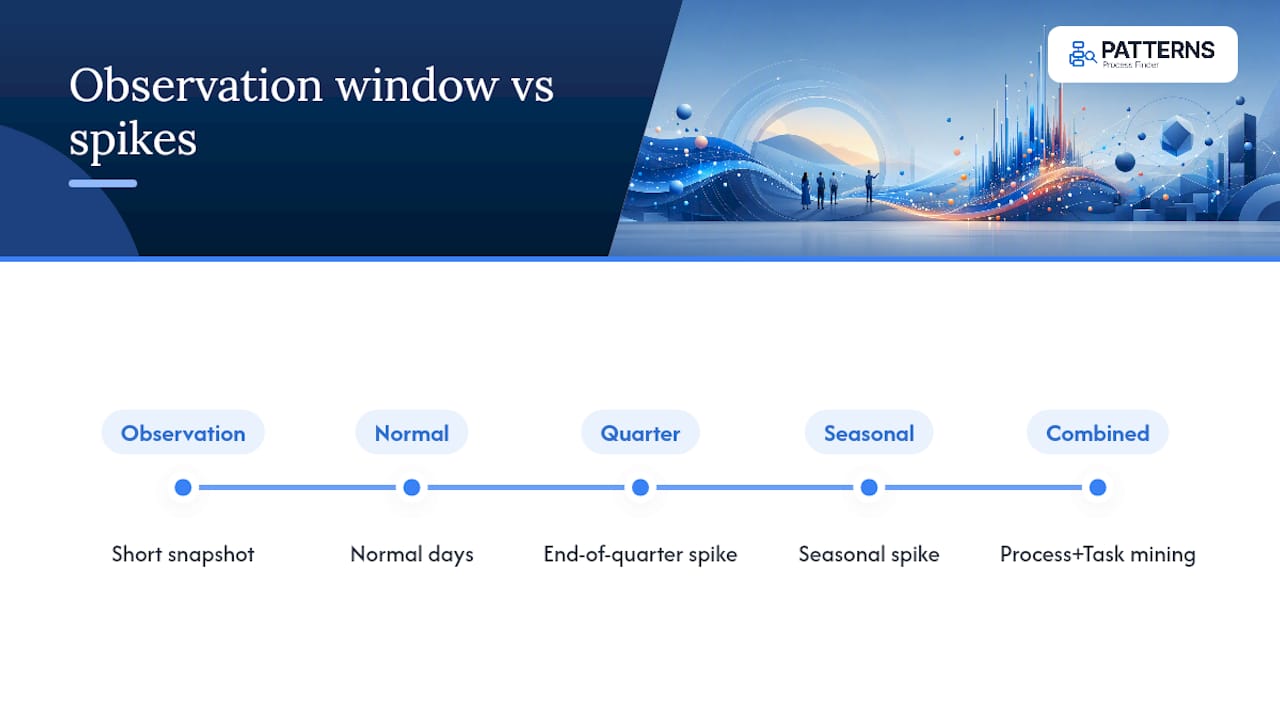
The bigger risk is organisational. Two mistakes repeat across failed programmes: skipping SME validation, and overfitting conclusions to a short observation window that didn’t capture seasonal or end-of-quarter variants. A brief snapshot of “normal” days can miss the exception spikes that actually cause automation to break, and treating that snapshot as complete is where a lot of expensive rework begins. Combining process mining with task mining, as ABBYY’s process discovery guidance notes, catches many of the desktop-level exception patterns that event logs alone miss entirely, and that combination is one of the better safeguards against overfitting to a partial picture.
What running discovery pilots actually teaches you
The biggest surprise in most discovery pilots isn’t the automation opportunity, it’s how wrong the documented process turns out to be. Stakeholders walk in expecting to confirm the SOP and walk out discovering that three regional teams each built their own workaround years ago, and nobody wrote any of it down. That gap is exactly why event-log data alone undersells the picture: it tells you what SAP recorded, not what the person sitting in front of it actually did to get there.
What tends to change stakeholders’ minds isn’t a slide deck, it’s watching the variant list grow past what anyone predicted. A process assumed to have two paths often turns out to have six, and the automation backlog gets rebuilt around the two variants causing 80% of the failures, not the two someone guessed at in a planning meeting. That’s the value of reality over assumption: it redirects effort toward what’s actually breaking.
— Malek
Get from discovery to living SOPs faster with Patterns Process Finder
Patterns Process Finder was built specifically for the gap this article describes: the distance between how a process is documented and how it’s actually run. It automates the capture of real user actions across desktop and browser applications, surfaces hidden subprocess variations and client-specific rules that generic training material never mentions, and turns those findings into living SOPs that update automatically instead of going stale after the next system change.
Teams using this approach typically get three things out of a pilot: a real variant map instead of a guess, an automation backlog ranked by actual frequency and exception density, and documentation that stays current without a quarterly rewrite project. If you’re weighing whether to run the two to four week pilot outlined above, Patterns Process Finder’s process mining tool for business analysts is built to support exactly that scope. Request a demo and bring one process, real usage data, and a clear success metric, and you’ll have a working answer within weeks, not quarters.
Sources
- A Case Study on the Business Benefits of Automated Process Discovery.
- What is process discovery: Definition, Benefits | ABBYY
FAQ
What does SAP process discovery mean in this context?
It refers to reality-based, vendor-agnostic discovery that records actual user actions across desktop and web applications, including SAP, to map real workflows rather than documented ones.
How long does a typical discovery pilot take?
Most single-process pilots run a few weeks, a timeline supported by practitioner reports on AI-driven discovery pipelines.
Why do automated processes built from documented SOPs fail so often?
Documented SOPs typically describe one intended path, while real execution often includes several variants and exceptions; automating against the wrong assumption is a leading cause of failure.
Do I need both event logs and task mining, or is one enough?
Both matter: event logs capture system-of-record transactions, while task mining catches manual desktop steps that never generate a log, and combining them gives a fuller picture, as ABBYY’s guidance on process discovery explains.
Can Patterns Process Finder handle both SAP and non-SAP applications?
Yes. Patterns Process Finder captures real user actions across desktop and browser applications regardless of the underlying system, then generates living SOPs from what it observes.