
Derive, Diff, Serve: How Ops Teams Build Living Process Documentation
Living process documentation is an SOP, checklist, or runbook generated directly from a governed source of truth, such as an execution model or system data, rather than a separate file someone updates by hand. The single biggest benefit is that it can’t drift the way manually maintained documents do: because it’s derived, not authored from memory, it stays consistent with how the process actually runs. The sections below cover the principles and steps for building it.
TL;DR:
- Living process documentation must automatically regenerate from real system data or execution traces to prevent drift and ensure accuracy.
- Regular diff checks and audit triggers are essential to detect mismatches between the generated document and actual process changes.
- Ownership and review workflows should be event-driven, with clear accountability to keep the documentation current and trustworthy.
- Implementing a focused, incremental approach—starting with one high-priority process—drives successful adoption and continuous improvement.
- Using dedicated discovery tools accelerates capturing actual workflows, especially in complex or regulated environments.
Table of Contents
- What is living process documentation, really?
- Why documentation rot happens even with good intentions
- The three moves that make documentation living: derive, diff, serve
- When does living process documentation actually pay off?
- How to implement living process documentation: a practical playbook
- Who owns it and how does review actually happen?
- What kind of tooling actually supports this pattern?
- How Patterns captures reality instead of assumptions
- What I’ve seen go wrong with living documentation rollouts
- Turn your everyday work into living SOPs
- Sources
- FAQ
What is living process documentation, really?
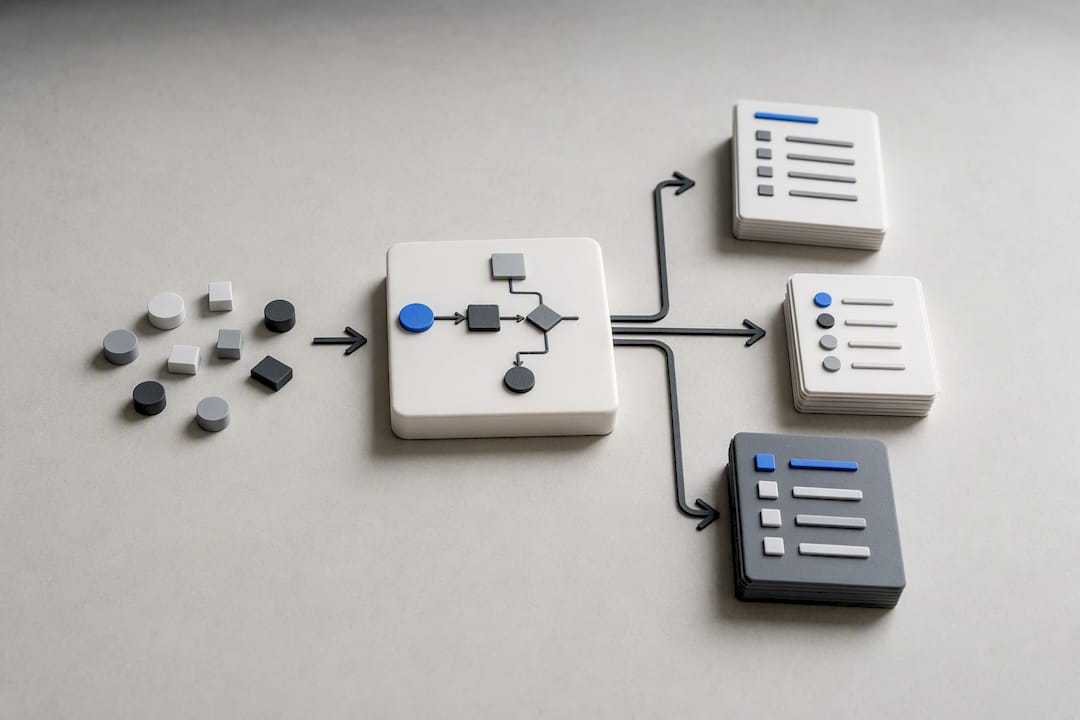
Living process documentation is generated, not typed. An SOP regenerated from a process model, a checklist assembled from execution traces, a runbook rebuilt from the current system state: each one reflects reality at the moment it’s produced, rather than reality at the moment someone last remembered to update a Word document.
Docs-as-code tooling, like Sphinx, improved on this by keeping documentation in the same repository as the code it describes, versioned and reviewable alongside every change. That’s real progress. But docs-as-code still stores a written description of the system. It’s a better-organized second copy, not a derived one, and anything the author forgets to update simply sits there, wrong, until someone notices.
Ask these questions to check whether a document you rely on is genuinely living:
- Does it regenerate automatically when the underlying process or system changes?
- Would a change to the real workflow break the document if nobody touched it?
- Can you trace each instruction back to a specific execution or system record?
If the answer to all three is no, you likely have a well-formatted static file.
Why documentation rot happens even with good intentions
Documentation rot is silent by design. A living document is meant to be continually edited and updated, but without governance forcing that upkeep, it drifts quietly away from what it describes. Nobody gets an alert when a workaround becomes the real process and the SOP still describes the old one.
Calendar-based reviews don’t fix this because they check the document on a schedule, not the moment reality changes. A quarterly review misses the seventeen small exceptions your team adopted in week two. Three consequences follow at scale:
- Incident recovery slows down because responders follow a runbook that no longer matches the system.
- Automation breaks when RPA bots are built against a documented process that skips exception handling nobody wrote down.
- Onboarding drags as new hires learn the “real” process from a colleague instead of the official one, because the official one is wrong.
Research on documentation practices points to the same root cause across contexts: documents kept separate from the system they describe accumulate drift faster than anyone catches it manually.
Pro Tip: If your incident postmortems keep saying “the runbook was out of date,” that’s not a training problem. It’s a signal your documentation architecture needs to derive from the system instead of describing it from memory.
The three moves that make documentation living: derive, diff, serve
Living process documentation rests on a repeatable pattern, one that treats the document as a projection of the process rather than a separate artefact to babysit.
- Derive: Generate reference material straight from the running system, execution traces, or a governed process model. Nothing gets typed that could instead be pulled.
- Diff: Build a check that compares the generated document against the current process state and treats any mismatch as a failure, not a quiet edit someone might get to eventually.
- Serve: Put the generated view exactly where people and automation already work, inside the ticketing tool, the runbook viewer, the RPA build environment, so drift breaks something visible immediately instead of decaying unnoticed.
- Capture the why: Some things can’t be derived. Record the judgment behind an exception or a control decision, and attach it directly to the artefact the system regenerates, so context survives every refresh.
The Agile Manifesto made a related point two decades ago: continuous feedback beats a plan fixed in place, and documentation benefits from the same discipline.
When does living process documentation actually pay off?
Not every process needs this level of investment. A handful of signals tell you when it does:
- The process has frequent exceptions that never make it into the written version.
- Automation attempts keep failing or rolling back because the build didn’t match reality.
- Auditors or regulators require evidence the documented process matches the executed one.
- Onboarding a new hire into the role takes weeks longer than it should.
High-value targets tend to cluster in specific areas: incident runbooks that responders trust under pressure, automation pipelines that need an accurate map before a single bot gets built, regulated processes where freshness itself is an audit requirement, and cross-team handoffs where each side assumes the other follows the written steps. Teams that get this right typically see faster time-to-repair during incidents, fewer automation rollbacks, and significantly improved onboarding speed.
How to implement living process documentation: a practical playbook
Building living documentation is a pipeline, not a writing project. Six steps get you there.
- Capture real execution. Use task mining or process discovery to observe what actually happens on desktops and browsers, including the exceptions nobody put in the training deck.
- Classify what to derive versus what to author. Steps, sequences, and system states can usually be pulled straight from execution data. Judgment calls, exception rationale, and control decisions need a human to write the “why” and attach it to the record. The guidance on process documentation versus SOPs is a useful filter here.
- Build the regeneration pipeline. Wire the source data (execution traces, system logs, process models) to templates that render SOPs, checklists, and runbooks on a schedule or on every meaningful change.
- Add diffing and a governance workflow. A scheduled or CI-style check compares the live process against the last generated version and routes any mismatch to a named reviewer rather than letting it sit unresolved.
- Make it load-bearing. Use the generated runbook in the next incident drill. Use the generated checklist in the next onboarding session. Drift that would have gone unnoticed in a shared drive gets caught the first time someone actually relies on the document.
- Iterate from evidence. Feed new execution data back into the model continuously, and prioritize updates to the processes with the highest exception rates or the biggest automation exposure first.
Pro Tip: Don’t try to derive everything in the first sprint. Pick the one runbook your team already opens weekly, build the pipeline for that single document, and let its success justify the next one.
Who owns it and how does review actually happen?
Ownership without triggers is theatre. Every living document needs a named owner accountable for accuracy and an approver who signs off before a regenerated version replaces the previous one.
- Assign an owner per process, not per document, since one process might feed several derived views.
- Tie reviews to events, not just dates: a system change, an incident, a role change, or a diff-check failure should each trigger a review on their own.
- Preserve full version history and an audit trail. Data management plan guidance from institutional research offices makes the same point: a plan meant to stay current needs a lifecycle design, not just a good first draft.
- Set an escalation path for unresolved diffs, so a flagged mismatch doesn’t sit in a queue for a month before anyone acts on it.
What kind of tooling actually supports this pattern?
Vendor names aside, useful tooling in this space tends to fall into a few categories worth evaluating on their own merits.
- Generated views versus docs-as-code: docs-as-code keeps documentation near the source and versioned; full derivation goes further by pulling directly from system data or execution traces rather than relying on someone to write the description.
- Process discovery and task mining supply the raw execution evidence, capturing what employees actually do rather than what a manual says they should do.
- Diffing and CI-style checks, plus API-driven generation, connect the pipeline to the workflow tools people already use, including embedding the document inside the ticketing or automation build system itself.
- Selection criteria worth weighing: integration coverage across your existing systems, privacy and security controls for behavioural data, built-in audit features, and the ability to surface exception patterns rather than smoothing them away. Partner resources on document processing workflow structure are a solid reference point for operations teams evaluating this category.
How Patterns captures reality instead of assumptions
Patterns Process Finder automates the discovery of real workflows inside organizations, recording how employees actually execute a process rather than how a training manual assumes they do. That distinction matters because most automation failures trace back to a hidden subprocess variation or a client-specific exception nobody documented, not a flaw in the automation logic itself.
The gap between how work is supposed to happen and how work actually happens is where most automation failure and operational cost hides. Closing that gap requires capturing execution as it occurs, not describing it after the fact.
By generating dynamic SOPs directly from captured execution data, Patterns Process Finder turns everyday work into living SOPs that stay aligned with the process as it evolves, rather than as it was documented once and forgotten.
What I’ve seen go wrong with living documentation rollouts
The most common failure is trying to derive everything at once, which drowns the team in generated noise nobody trusts. A close second is skipping ownership: a document with no accountable reviewer decays exactly like a static one. Start narrow, generate only what people will actually open, and enforce review triggers from day one. I’ve seen a single well-scoped runbook shift incident recovery from guesswork to a repeatable ten-minute process.
— Malek
Turn your everyday work into living SOPs
There are two honest paths to living process documentation: build the discovery and regeneration pipeline yourself, or bring in tooling designed specifically to capture execution reality at scale. The do-it-yourself route works when you already have clean system logs and engineering time to spare. Most operations and automation teams don’t have either in surplus, which is where a purpose-built discovery layer earns its keep.
Patterns Process Finder’s automated documentation tool observes real user actions across desktop and browser applications, surfaces the hidden subprocess branches and client-specific rules that manual documentation misses, and generates SOPs that update as the process itself changes. For automation teams specifically working from SAP or similar enterprise systems, the SAP process discovery approach is built to produce living SOPs in weeks rather than quarters. If your current documentation can’t tell you how a process is actually run today, request a demo and see what your teams are really doing.
Sources
- Living document — Wikipedia
- PMC article — living documents and documentation practices
- Designing data management plans — Harvard Data Management
- The Agile Manifesto
- Sphinx documentation generator
FAQ
Can you give an example of a living document?
A Wikipedia article is a widely cited example of a living document: it’s continually edited and updated rather than fixed at publication. In operations, a runbook regenerated from current system data each time it’s opened is the equivalent example.
What are some examples of process documentation?
Common examples include SOPs, incident runbooks, onboarding checklists, and compliance controls documents. In a living setup, each of these is regenerated from execution data instead of typed once and filed away.
How do I create a living document?
Start by identifying a source of truth, such as a process model or execution trace, that can feed the document automatically. Then build a pipeline that regenerates the document from that source, add a diff check to flag mismatches, and assign an owner to review flagged changes.
What is the fastest way to start without a full rebuild?
Pick one high-friction process, capture its real execution with task mining, and generate a single living SOP from that data before expanding the approach elsewhere.