
Cross-application workflow capture: methods that actually work
Cross-application workflow capture is the process of recording and documenting how work actually moves across multiple software systems, rather than relying on how a process was designed to run on paper. The most reliable method is a hybrid approach: combine automated process mining or event-log analysis with targeted shadowing and screen/interaction capture, then instrument APIs or deep links wherever a handoff repeats often enough to justify it.
Done well, this produces three deliverables inside the first project cycle:
- A living SOP that updates as the real process changes, not a static document that goes stale in a month
- An edge-case log capturing the judgment calls and exceptions that never make it into a flowchart
- A rule set (trigger, check, output) that automation teams can build against with far less rework
Teams that skip the shadowing step and rely on logs alone tend to miss the “why” behind a process. Teams that skip instrumentation end up with rich documentation and no automation-ready output. The hybrid model closes both gaps.
TL;DR:
- Automated process mining is efficient but cannot capture steps outside logged systems or tacit decisions made without system input.
- Shadowing and transcription reveal judgment calls and exceptions that logs and screen recordings often miss, essential for automating complex decisions.
- Continuous edge-case logging and living SOPs are crucial for maintaining accurate documentation and automation relevance over time.
- Architecture choices like orchestration layers, deep linking, and transformation layers influence the reliability and scalability of automation projects.
- Using tools like Patterns Process Finder enables real-time behavior capture, visual maps, and automation-ready rules, reducing reliance on static documentation.
Table of Contents
- What are the principal approaches to cross-application workflow capture?
- Which technical patterns support reliable cross-app integration?
- How do you turn captured workflows into automation-ready assets?
- How do you manage governance and edge cases in workflow capture?
- How does Patterns Process Finder implement this capture discipline?
- What software should you use for cross-application workflow capture?
- How do you correlate events across different applications?
- How do you keep captured workflow data accurate over time?
- How do you visualize cross-application workflows for analysis?
- Editorial take: the discipline matters more than the tooling
- Get living SOPs without a manual documentation backlog
- Key Takeaways
- Sources
- FAQ
What are the principal approaches to cross-application workflow capture?
Four methods dominate practice, and each solves a different part of the problem. None of them is complete on its own.
Process mining and event-log analysis works when systems already generate timestamped logs that can be correlated across platforms. It is fast, scales across thousands of process instances, and needs no employee time. Its limitation shows up the moment a step happens outside a logged system, such as a phone call, a spreadsheet macro, or a decision made in someone’s head before they touch the keyboard.
Screen and interaction recording captures clicks, field entries, and the UI context a log file cannot show. It is particularly good at surfacing UI-first processes and the “hidden” micro-decisions employees make when a screen presents an option a mining tool would never see. The trade-off is volume: reviewing raw session recordings at scale without structure becomes its own project.

Shadowing and transcription surfaces the tacit judgement that neither logs nor screen capture will show. A trained observer watching a claims processor pause, skip a field, or deliberately not act on a case, then transcribing why, produces what the industry now treats as a distinct discipline. Modern workflow capture for AI agents starts with shadowing specifically because it catches “did nothing on purpose” moments that automation otherwise mishandles.
Instrumentation, APIs, and deep links provide the most reliable and replayable data because they capture handoffs at the system level rather than inferring them from behaviour. ArcGIS’s architecture guidance describes deep linking and interface switching as standard patterns for sequencing steps across applications without losing context.
- Run automated discovery first to map volume and frequency across systems.
- Shadow the highest-frequency or highest-exception variants to capture judgement.
- Instrument the handoffs that repeat enough to justify an API or deep-link investment.
Pro Tip: *Run the mining pass before you schedule any shadowing sessions.
Which technical patterns support reliable cross-app integration?
The capture method only matters if the underlying architecture can carry what you find into something automatable. Four architecture decisions determine whether captured workflows become reliable automations or brittle scripts that break on the first exception.
An orchestration layer or iPaaS pattern handles sequencing, schema mapping, retries, and centralised logging across the applications involved. Cross-system workflow automation guidance treats this layer as the backbone of scalable automation, precisely because it centralizes what would otherwise be scattered point-to-point scripts.
Connector versus event-driven architectures trade off differently. Connectors are faster to build and easier to maintain when the number of integrated apps is small. Event-driven designs handle scale and latency better but demand more upfront schema discipline.
Deep linking and in-app navigation preserve user continuity across UIs. ArcGIS’s Field Maps documentation shows deep links and URIs launching a companion app at the exact point a task requires it, avoiding the context loss that happens when a user has to manually find their place in a second system.
A transformation layer validates schemas, maps fields, and enforces a canonical data model so that a “customer ID” in one system reliably matches a “customer ID” in another.
Observability is where most cross-app automation projects quietly fail. At minimum, require:
- Execution logs tied to a unique workflow instance ID
- Error queues that isolate failed steps without halting the whole pipeline
- Replay controls to re-run a failed segment without repeating completed work
- Alerting thresholds tuned to the process, not generic system defaults
Capture without replayability leaves teams unable to diagnose why an automation failed weeks after the fact. Smarttechspace’s overview makes the same point: production-grade orchestration requires monitoring, replay, and retry logic, not just a working happy path. A CRM surface like ZinCRM is a common example of the kind of application that sits inside these workflows, generating the lead-intake and ticketing events an orchestration layer has to reconcile with everything else.
How do you turn captured workflows into automation-ready assets?
A capture project without a defined sequence tends to produce a pile of screenshots and no usable output. Five stages keep the project moving toward something a team can actually build on.
- Plan. Choose scope based on transaction volume, error rate, or automation candidacy. Identify stakeholders early and agree on what “done” looks like before recording starts.
- Discover. Run an automated mining pass across available logs, then schedule targeted shadowing sessions with screen capture and transcription for the highest-value variants. Correlate timestamps across systems so the same case can be traced end to end.
- Decompose. Break each step into trigger, check, and output. Classify each decision point as deterministic, judgement-based, or escalation-required. This classification is what separates a workflow diagram from an automation blueprint.
- Document. Produce a living SOP, a visual process map, an exported rule set in a format automation developers can consume, and an edge-case log capturing every exception encountered during discovery. A process mining tool built for this stage speeds up the discovery pass considerably compared to manual log review.
- Verify. Pilot the automation against a subset of real cases, monitor error rates against a baseline, and keep ingesting new edge cases as they appear in production.
The verify stage never really ends. Teams that treat documentation as a one-time project instead of a continuously ingested log are the ones who end up rebuilding SOPs from scratch eighteen months later.
How do you manage governance and edge cases in workflow capture?
An edge-case log is only useful if someone owns updating it. Every exception captured during discovery or found in production should feed back into the rule set, not sit in a spreadsheet nobody revisits.
- Apply data minimisation and masking to any captured screen recording or session transcript that touches personal or financial data.
- Get explicit consent from employees before shadowing or recording their screens, and set a clear retention window for raw capture files.
- Maintain audit trails and role-based access controls consistent with enterprise logging standards; teams operating under SOC 2 requirements need this built in from day one, not bolted on after an audit finding.
- Set human-in-the-loop SLAs for escalations so judgement-based decisions route to a person, not a silent failure.
- Watch for overfitting to one employee’s habits, missing “did nothing on purpose” decisions, and under-documenting the checks that prevent errors rather than the steps that produce output.
Pro Tip: *Log every “no action taken” decision separately from active steps.
How does Patterns Process Finder implement this capture discipline?
Patterns Process Finder automates discovery by recording real user actions across desktop and browser applications, then surfacing the subprocess branches and client-specific rules that a static flowchart never shows. It finds the exceptions teams didn’t know they had, not just the steps they expected.
The deliverables match what a hybrid capture project should produce:
- Living SOPs that update as the real process changes, using automated documentation built from captured sessions rather than manual write-ups
- Visual process maps showing every variant, not just the intended path
- Edge-case logs and automation-readiness scoring built directly from observed behaviour
The gap between how work is supposed to happen and how it actually happens is where most automation projects fail. Closing that gap requires seeing the real process first, not documenting the assumed one.
Teams facing high automation failure rates or repeated rework from missed exceptions are the ones who benefit most from this approach, particularly where onboarding new staff off outdated documentation has become a recurring cost.
What software should you use for cross-application workflow capture?
Enterprise teams typically need three categories of tooling working together, not one platform doing everything.
Process mining platforms correlate event logs across systems and surface bottlenecks and variants at scale. They’re strongest where logs already exist and weakest where key steps happen outside logged systems.
Screen and session capture tools record clicks, fields, and UI navigation, giving visibility into UI-first processes that logs miss entirely. Reviewing raw sessions without a structured layer to classify them, though, turns into its own bottleneck.
Automated discovery platforms like Patterns Process Finder combine passive behaviour capture with rule extraction, producing living SOPs and edge-case logs directly rather than requiring a separate documentation pass. This matters most for teams where the gap between designed process and actual execution is the core problem, since a tool that only mines logs won’t catch the workaround an employee built in a spreadsheet six months ago.
For governance and access control across whichever tools you pick, check how each vendor handles enterprise logging and audit requirements before rollout. A platform without SOC 2-aligned access controls creates a compliance gap that surfaces during your first security review, not before.
Match the tool to the gap: if logs are rich and complete, prioritize process mining. If the process lives mostly in the UI and in people’s heads, prioritize capture and shadowing tools that produce structured rule sets, not just recordings.
How do you correlate events across different applications?
The hardest technical problem in cross-application capture isn’t recording events. It’s proving that an event in System A and an event in System B belong to the same case.
Timestamp correlation is the starting point but rarely sufficient alone, since clock drift and processing delays between systems can shift events by seconds or minutes. Pairing timestamps with a shared identifier, such as a case number, customer ID, or transaction reference that persists across every system touched, gives you a reliable join key.
Where no shared identifier exists natively, a transformation layer can construct one from a combination of fields (customer name plus date plus amount, for instance) common enough to enterprise integration work that most iPaaS platforms build fuzzy-matching logic in as a standard feature.
Deep linking helps here too. When a workflow hands off from one app to another through a deep link carrying a case ID in the URL, that link itself becomes a correlation event, not just a navigation convenience. ArcGIS’s architecture documentation treats this kind of interface switching as a first-class pattern precisely because it preserves the case context that timestamp-only correlation loses.
Session-level correlation matters for capture projects specifically. If shadowing produces a transcript and screen recording, and process mining produces an event log for the same case, aligning both to a single timeline lets you see where the tacit judgement in the transcript actually happened relative to the system events, closing the loop between “what the log shows” and “why it happened.”
How do you keep captured workflow data accurate over time?
Captured workflows decay the moment a system updates, a policy changes, or an employee finds a faster way to do something. Data integrity in this context isn’t a one-time validation step. It’s an ongoing discipline.
Start with a canonical data model that every captured event maps to, so a “status” field means the same thing whether it came from a CRM, an order system, or a support ticket. Without this, correlation across apps produces false matches or missed ones.
Version every SOP and rule set you produce, and timestamp when each rule was last confirmed against live behaviour. A rule set from eight months ago describing a process that changed in a system update three months ago is worse than no documentation, because it looks authoritative while being wrong.
Continuous ingestion of new edge cases, rather than periodic re-capture projects, is what actually keeps data integrity intact. Teams that treat capture as a quarterly audit tend to find their SOPs drifting from reality within weeks of each audit closing. Teams that treat their edge-case log as a living input, reviewed and merged into the rule set as new exceptions surface, keep documentation and automation logic aligned with what employees are actually doing.
Access control matters for integrity too, not just security. If multiple people can edit a captured rule set without a review step, undocumented drift creeps in the same way undocumented process drift does on the floor.
How do you visualize cross-application workflows for analysis?
A rule set and an edge-case log tell you what happens. A visual map tells you where it happens and where it breaks down, which is why most capture projects still need one alongside the structured output.
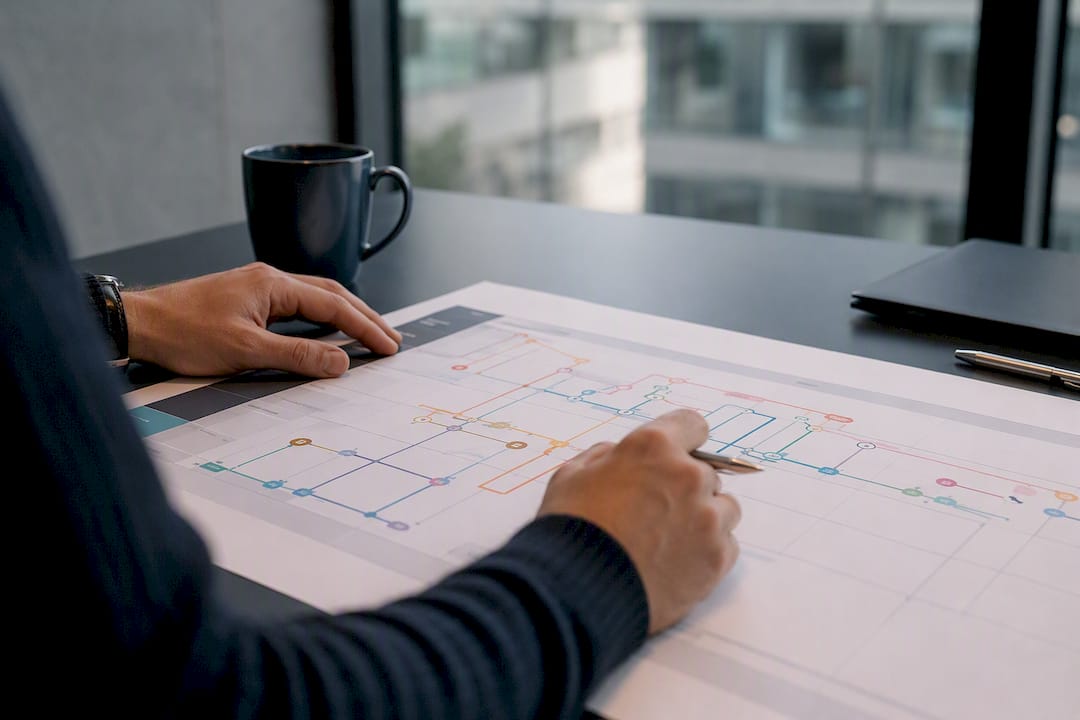
Swimlane diagrams remain the standard for showing handoffs between applications and the people or systems responsible for each step. They make it immediately visible when a process bounces back and forth between three systems for a single case, a pattern that’s easy to miss in a log table but obvious on a lane diagram.
Variant analysis views, common in process mining platforms, show every path a case actually took through a process, layered by frequency.
Heat maps overlaid on process maps highlight where time or errors concentrate, useful for prioritizing which segment of a workflow to shadow next rather than guessing.
Patterns Process Finder generates these visual maps directly from captured behaviour, which keeps the map synchronized with the underlying rule set rather than requiring a separate diagramming pass that goes stale as soon as the process changes again. That synchronization is the practical advantage of visualization tied to continuous capture over a static diagram drawn once and left alone.
Editorial take: the discipline matters more than the tooling
The conventional advice on this topic treats workflow capture as a documentation exercise: interview some people, draw a flowchart, ship an SOP. That approach consistently under-serves automation teams because it skips the judgement calls that determine whether an automated agent behaves correctly in the 10% of cases that aren’t routine.
What the research actually supports is narrower and more useful: shadowing catches what logs and screen recordings cannot, but only when it is decomposed into trigger, check, and output rather than left as narrative notes. Teams that build automation on flowchart-level documentation, skipping that decomposition, are the ones who see automation failure rates they can’t explain months later.
If you take one thing from this, prioritize the edge-case log before you prioritize the visual map. A polished process diagram with no record of exceptions will look complete and fail in production. A rough diagram backed by a living edge-case log will get better every week it runs.
— Malek
Get living SOPs without a manual documentation backlog
Manual process mapping and one-off shadowing sessions produce a snapshot that starts going stale the day it’s finished. Patterns Process Finder is built to close that gap by recording real work across desktop and browser applications continuously, not once a year during an audit cycle.
For operations leaders and automation teams tired of SOPs that never match what employees actually do, Patterns Process Finder turns captured behaviour directly into living documentation, visual process maps, and automation-ready rule sets without a separate write-up phase. Teams facing repeated automation failures from undocumented exceptions get the edge-case log built in from day one, feeding straight into the rules your RPA or automation developers need. If your current documentation is more assumption than reality, start a free trial and see what your own workflows actually look like once they’re captured instead of assumed.
Key Takeaways
Cross-application workflow capture works best as a hybrid discipline: automated discovery finds volume and variants, shadowing finds judgement, and instrumentation makes handoffs replayable.
| Point | Details |
|---|---|
| Combine capture methods | Pair process mining with shadowing and screen capture so logs and tacit judgement both get recorded. |
| Decompose into rules | Break every captured step into trigger, check, and output before handing it to automation developers. |
| Maintain an edge-case log | Feed new exceptions back into the rule set continuously rather than re-capturing on a fixed schedule. |
| Require observability | Insist on execution logs, error queues, and replay controls before trusting any orchestration layer in production. |
| Choose discovery-first tooling | Patterns Process Finder builds living SOPs, visual maps, and edge-case logs directly from captured real user behaviour. |
Sources
- Integration | Cross-app workflows - ArcGIS Architecture Center
- Workflow Capture: How to Get Your Best Employee’s Brain Into an Agent
- Cross-System Workflow Automation: Scalable Integration Architecture for Modern Tech Stacks in 2026 - smarttechspace
FAQ
What are cross-functional workflows and how do they work?
Cross-functional workflows move a single case or task through multiple departments or systems, handing off data and responsibility at each step. They work reliably only when each handoff is instrumented or documented well enough that no context gets lost between systems.
What is cross-application capture?
Cross-application workflow capture is the practice of recording how a process actually runs across two or more software systems, using methods like process mining, screen recording, and shadowing rather than relying on written procedures.
Can you give an example of a cross-platform application scenario?
A support ticket that starts in a helpdesk tool, pulls customer data from a CRM like ZinCRM, and triggers a billing update in a finance system is a common cross-platform scenario, and it’s exactly the kind of handoff deep linking and API instrumentation are meant to preserve.
What are the four types of workflows commonly referenced?
Definitions vary across sources, but a common grouping includes sequential workflows, parallel workflows, state machine workflows, and rules-driven workflows, each describing a different way steps and decisions connect.
How is Patterns Process Finder different from manual documentation?
Patterns Process Finder captures real user behaviour continuously and turns it into living SOPs and edge-case logs automatically, rather than relying on a one-time interview or shadowing session that goes stale as processes change.